Free Cover Letter Template Word: Download and Edit Quickly
Free cover letter template Word you can copy, paste, and edit fast. Get ATS-friendly Word formatting, a ready template, and quick customization tips.
Write your cover letter — not a blank template
Generate a finished cover letter with your details, tone, and language in ~30 seconds. Free first letter, no credit card — beats copy-pasting and filling the blanks yourself.
When you need to apply fast, a free cover letter template in Word is one of the quickest ways to go from “blank page” to a clean, professional draft you can submit today. Microsoft Word is also a safe choice for ATS (applicant tracking systems) because it keeps formatting simple, readable, and consistent.
This guide gives you:
- A copy-and-paste cover letter template you can drop into Word in minutes
- The exact Word formatting settings hiring teams expect
- A quick customization method so your letter does not sound generic
What a good Word cover letter template should include
Most strong cover letters in 2026 are short, scannable, and evidence-based. In Word, that usually means a simple block format with clear spacing and no fancy design elements.
Here’s the structure we are aiming for.
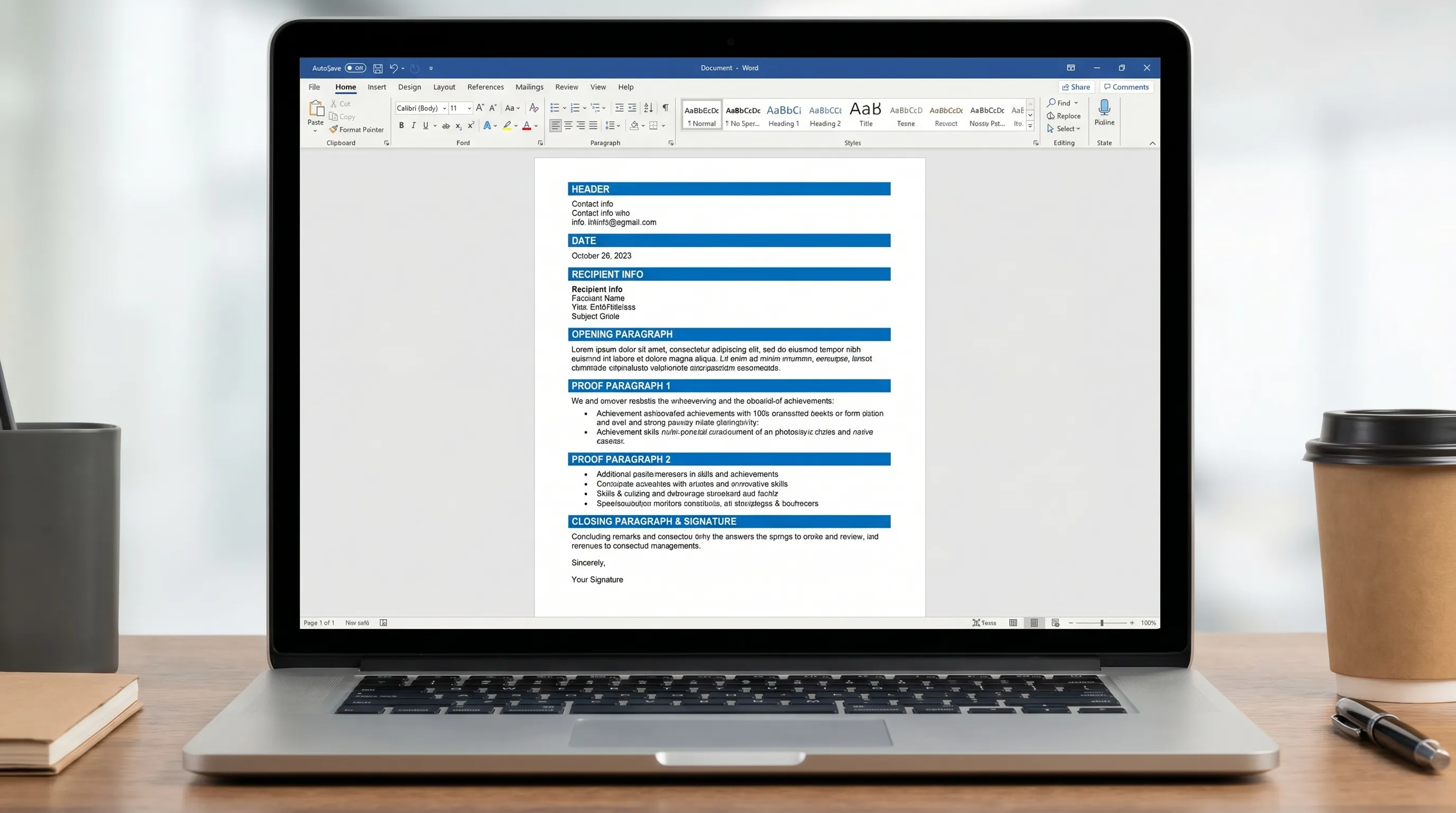
| Section | Purpose | What to include (fast) |
|---|---|---|
| Header | Identify you and your contact info | Name, phone, email, LinkedIn (optional), city/state |
| Date + recipient | Make it formal and specific | Date, hiring manager name if available, company, location |
| Opening (2 to 3 lines) | Hook + relevance | Role name, why this company, your strongest proof point |
| Proof paragraph (4 to 6 lines) | Evidence you can do the job | 1 to 2 achievements with numbers, tools, outcomes |
| Fit paragraph (3 to 5 lines) | Why you fit their context | Match to the team’s needs, product, customers, mission |
| Close (2 to 3 lines) | Clear next step | Ask for interview, availability, polite sign-off |
If you want more detail on layout conventions (header placement, spacing, and section order), see our guide to cover letter format.
Free cover letter template (copy into Word)
Copy the template below into a blank Word document, then replace the bracketed placeholders.
[YOUR FULL NAME]
[Phone] | [Email] | [City, State] | [LinkedIn URL or Portfolio (optional)]

[DATE]

[Hiring Manager Name]
[Company Name]
[Company Address Line 1]
[City, State ZIP]

Dear [Hiring Manager Name],

I’m applying for the [Job Title] role at [Company Name]. In my recent work at [Current or Most Recent Company], I [top achievement that matches the job] (for example: “reduced onboarding time by 22% by rebuilding our training workflow”). I’m excited about [specific reason tied to the company, team, product, or mission], and I’d love to bring my experience in [skill area 1] and [skill area 2] to your team.

In my last role, I focused on measurable outcomes, not just responsibilities. For example, I [achievement #1 with metric], using [tool/process] to [business impact]. I also [achievement #2 with metric], which improved [speed/quality/revenue/customer experience] for [team/customer group]. These results align closely with what you listed in your posting, especially around [keyword from the job description].

What draws me to [Company Name] is [company-specific detail]. I’m confident I can contribute quickly by [how you will help in the first 60 to 90 days], while collaborating closely with [cross-functional partners/team] and maintaining high standards for [quality/compliance/security/customer experience].

Thank you for your time and consideration. I’d welcome the chance to discuss how my background in [relevant area] can help [Company Name] succeed. I’m available for an interview at [two time windows] and can adjust to your schedule.

Sincerely,

[YOUR FULL NAME]
How to “download” this as a Word document (the quick way)
Since this is a text-based template, the fastest “download” method is to paste it into Word and save it as a .docx.
Step 1: Create a new .docx
In Word:
- File → New → Blank document
- Paste the template
- File → Save As → Word Document (.docx)
Step 2: Use safe formatting settings (ATS-friendly)
These settings keep your cover letter clean and compatible with most applicant tracking systems.
| Word setting | Recommended choice | Why it works |
|---|---|---|
| Font | Calibri, Arial, or Times New Roman | Standard fonts render reliably |
| Font size | 11 or 12 pt | Easy to read quickly |
| Margins | 1" on all sides | Standard business layout |
| Alignment | Left | Matches typical hiring expectations |
| Line spacing | 1.0 to 1.15 | Compact, still readable |
| Paragraph spacing | 0 pt before, 6 pt after | Clean separation without blank lines |
Tip: Avoid text boxes, columns, and icons in Word. They can break when uploaded to job portals.
How to edit the template quickly (without sounding generic)
A template only works if you make it specific. The goal is not to rewrite your resume, it is to prove fit for this exact role.
Use the “3 swaps” method
To customize fast, focus on three high-impact replacements:
1) Swap the hook
Replace “I’m excited about…” with something tied to the job:
- “I’m excited about your focus on improving conversion in the self-serve funnel.”
- “I’m excited about scaling reliable reporting for a growing ops team.”
2) Swap in one numbered proof point
Even one metric makes your letter feel real:
- “cut ticket backlog by 31%”
- “increased email CTR from 1.8% to 3.1%”
- “reduced monthly close time by 2 days”
3) Swap in one company-specific detail
Use something public and verifiable:
- a product line
- a recent announcement
- a stated value or mission line
- a tool stack mentioned in the job post
If you want a simple writing framework (so you do not overthink structure), this 3-part guide is a helpful reference: cover letter structure.
Word-specific tips to keep your letter polished
Keep spacing consistent in Word
Most “messy” cover letters happen because spacing is handled manually. Instead:
- Set paragraph spacing once (Layout or Paragraph settings)
- Use a single blank line only where truly needed (usually between address blocks)
Use Word Styles (optional, but fast)
If you want a professional look in 30 seconds:
- Make your name slightly larger (14 to 16 pt)
- Keep everything else 11 or 12 pt
- Use the same font everywhere
Check for common Word issues before saving
- Email address is clickable and correct
- Dates and company names match the application
- No leftover brackets like [Company Name]
- No widows/orphans (a single word stranded on a new line), if it looks odd, rephrase
Export to PDF (when you should and should not)
Many employers prefer PDF because it locks formatting. Word is still valuable because it is easiest to edit.
A good default workflow:
- Write and revise in Word
- Export a PDF for submission
In Word: File → Save As (or Export) → PDF.
File naming tip: FirstName_LastName_CoverLetter_Company_JobTitle.pdf
When a template is not enough (useful for specialized roles)
Some roles need a bit more precision, especially in regulated environments (fintech, healthcare, defense, compliance). In those cases, your cover letter has to show good judgment about risk, documentation, and process, not just enthusiasm.
If you are applying into compliance teams specifically, it can help to understand how modern compliance work is being automated (risk assessments, remediation workflows, policy management). Tools like Naltilia’s AI platform for compliance teams are a good example of the kind of workflow and outcomes employers may expect you to understand.
Frequently Asked Questions
Is a free cover letter template Word format ATS-friendly? Yes, if you keep it simple: standard fonts, left alignment, no tables/text boxes for layout, and clear section spacing.
Should I submit a .docx or a PDF cover letter? If the portal accepts PDF, it is usually safer because formatting stays consistent. If the employer asks for Word, submit .docx.
How long should my cover letter be in 2026? For most roles, aim for about 150 to 300 words, or roughly half a page to one page max, with short paragraphs.
Can I reuse the same Word cover letter for every job? You can reuse the structure, but you should change the opening, at least one proof point, and one company-specific detail for each role.
What if I do not have metrics for my achievements? Use scope and outcomes instead: size of project, timeline, stakeholders, complexity, process improvements, or quality outcomes (fewer errors, faster turnaround, higher satisfaction).
Generate a personalized cover letter in 30 seconds (then paste into Word)
If you like the speed of templates but still want a letter that feels tailored, you can generate a draft with CraftMyLetter and drop it into this Word layout. Pick the cover letter type, add a few details, choose a tone, then export to PDF when you are ready.
Try it free at CraftMyLetter. No credit card required.
Write your cover letter — not a blank template
Generate a finished cover letter with your details, tone, and language in ~30 seconds. Free first letter, no credit card — beats copy-pasting and filling the blanks yourself.