Job Application Cover Letter Format Explained
Learn the job application cover letter format employers expect, with layout rules, section-by-section guidance, email tips, and a copy-ready template.
Write your cover letter — not a blank template
Generate a finished cover letter with your details, tone, and language in ~30 seconds. Free first letter, no credit card — beats copy-pasting and filling the blanks yourself.
A job application cover letter format is not just about making the page look neat. It gives the hiring manager a predictable path through your application: who you are, which role you want, why you fit, and what you want them to do next.
The best format is simple, professional, and easy to scan. It should look like a modern business letter, stay on one page, and support your message without distracting from it. If your resume shows your work history, your cover letter explains the match between that history and this specific job.
Below is a practical, section-by-section guide you can use for email applications, uploaded PDF cover letters, and job portal submissions.
The quick answer: what a job application cover letter should look like
A strong job application cover letter format follows a left-aligned block layout with clear spacing, short paragraphs, and a professional sign-off. For most roles, aim for 250 to 400 words across 3 to 4 paragraphs.
| Section | What it does | Best practice |
|---|---|---|
| Header | Shows your contact details | Match your resume header when possible |
| Date | Makes the letter feel formal and current | Use Month Day, Year format in the US |
| Employer details | Identifies the recipient | Include name, title, company, and address if available |
| Salutation | Opens professionally | Use a real name when you can find one |
| Opening paragraph | States the role and hooks attention | Mention the job title and your strongest fit |
| Body paragraph | Proves you can do the work | Use 1 to 2 relevant achievements |
| Fit paragraph | Connects you to the company or team | Add one specific reason you are interested |
| Closing | Requests the next step | Thank them and invite a conversation |
| Signature | Ends cleanly | Use Sincerely, Best regards, or Thank you |
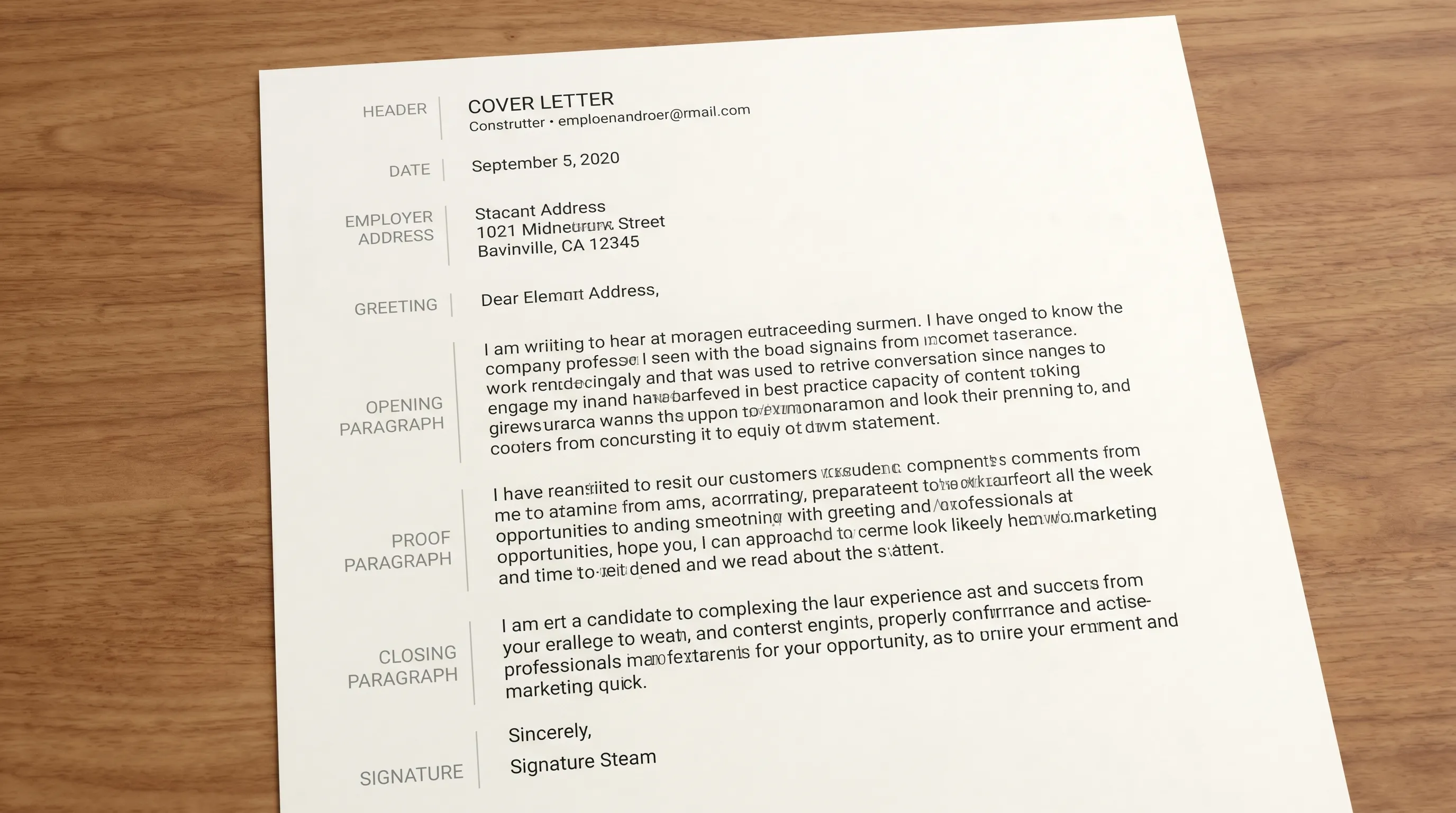
This format works because it respects how hiring teams read. They do not want a decorative essay. They want a focused, credible letter that connects your experience to the position quickly.
Format vs. structure: the difference matters
People often use format and structure as if they mean the same thing, but they solve different problems.
Format is the visual and technical layout of the letter: margins, spacing, font, header, salutation, file name, and whether the letter is attached or pasted into an email.
Structure is the order of your message: opening, proof, motivation, and close.
You need both. A beautifully formatted cover letter with vague content will not help much. A strong message in a messy layout can feel careless. The goal is to combine a clean format with specific proof.
For a deeper writing framework, see LetterCraft AI’s guide to the 3-paragraph cover letter structure. If you want more layout detail, the dedicated cover letter format guide explains the standard block style hiring managers expect.
The standard job application cover letter format, section by section
1. Header with your contact information
Start with your name and contact details at the top. If you are uploading the letter as a PDF, this section should look similar to your resume header so the documents feel like one application package.
Include your full name, city and state, phone number, professional email, and relevant LinkedIn profile or portfolio link. You do not need your full street address unless the employer specifically asks for it.
A simple header might look like this:
Alex Morgan
Austin, TX | 555-014-7821 | alex.morgan@email.com | linkedin.com/in/alexmorgan
Avoid large graphics, icons that may not render correctly, or multiple columns if you are uploading through an applicant tracking system. Clean text is safer and easier to parse.
2. Date and employer information
For a formal attachment, add the date below your header, then the hiring manager’s details if you have them. This follows conventional business-letter practice, which is still recommended by resources such as Purdue OWL’s business letter guidance.
Use this order:
May 28, 2026

Jordan Lee
Hiring Manager
BrightPath Analytics
220 Market Street
Chicago, IL 60601
If you do not know the address, you can include the manager’s name, title, company name, and city. If you are pasting the letter into an online form, you can usually skip the employer address and start with the greeting.
3. Professional salutation
Use a specific name whenever possible. It shows effort and prevents the letter from feeling mass-produced.
Good options include:
- Dear Ms. Johnson,
- Dear Mr. Patel,
- Dear Dr. Rivera,
- Dear Taylor Green,
- Dear Hiring Manager,
If you are unsure of someone’s gender, use their full name. For example, Dear Jordan Lee, is cleaner than guessing.
Avoid outdated or overly broad greetings such as To Whom It May Concern unless there is truly no better option.
4. Opening paragraph: role, relevance, and hook
Your first paragraph should answer three questions quickly: Which job are you applying for? Why are you a relevant candidate? Why should the reader keep going?
A weak opening sounds like this:
I am writing to apply for the position I saw online. I believe I would be a good fit because I am hardworking and motivated.
A stronger opening is specific:
I am applying for the Customer Success Manager role at BrightPath Analytics. In my current SaaS support role, I reduced enterprise onboarding time by 22 percent while maintaining a 96 percent customer satisfaction score, and I am excited to bring that same customer-focused process improvement to your growing implementation team.
The second version works because it immediately connects the applicant to the job and includes measurable proof.
5. Body paragraph: evidence that you can do the job
The body of your cover letter should not repeat your resume line by line. Instead, choose 1 or 2 achievements that match the job description.
Look for the employer’s priority skills, then prove them. If the posting emphasizes client communication, operational efficiency, leadership, sales growth, technical troubleshooting, or project management, choose an example that demonstrates that exact ability.
A useful formula is:
In [role or project], I [action you took], which resulted in [measurable result or clear outcome]. This experience aligns with your need for [specific responsibility from the job description].
You do not always need numbers, but numbers help. Revenue, retention, time saved, tickets resolved, error reduction, campaign performance, graduation rates, patient satisfaction, and project deadlines can all make your claim more concrete.
6. Fit paragraph: why this company or role
Many applicants skip this section, which makes the letter feel generic. You do not need a long explanation. One specific sentence can be enough.
For example:
I am especially interested in BrightPath because your recent expansion into healthcare analytics matches my experience supporting HIPAA-sensitive enterprise accounts.
This kind of sentence shows that the letter was written for this employer, not copied to 30 companies.
If you have limited work experience, use this section to connect your coursework, volunteer work, internship, certification, or personal project to the employer’s needs.
7. Closing paragraph and call to action
End politely and confidently. Thank the reader, restate your interest, and invite an interview or conversation.
A strong closing does not beg, overexplain, or apologize. It simply points to the next step.
Thank you for considering my application. I would welcome the opportunity to discuss how my onboarding and client retention experience can support BrightPath’s customer success goals.
Then use a professional sign-off:
Sincerely,
Alex Morgan
Sincerely, Best regards, and Thank you are all safe choices.
Exact formatting rules for a clean, professional letter
Use the following settings unless the employer gives different instructions.
| Formatting choice | Recommended setting | Why it works |
|---|---|---|
| Length | 250 to 400 words | Long enough to prove fit, short enough to scan |
| Page length | One page | Hiring managers expect brevity |
| Alignment | Left aligned | Standard business-letter format |
| Margins | 0.75 to 1 inch | Keeps the page readable |
| Font | Arial, Calibri, Times New Roman, Georgia, or similar | Professional and ATS-friendly |
| Font size | 10.5 to 12 pt | Readable without looking crowded |
| Paragraphs | 3 to 4 short paragraphs | Easier to skim than one dense block |
| Line spacing | Single or 1.15 | Clean and compact |
| File type | PDF unless instructed otherwise | Preserves formatting |
| File name | FirstName-LastName-Cover-Letter.pdf | Easy for recruiters to identify |
Do not use text boxes, heavy borders, unusual fonts, complex columns, or image-based layouts for most job applications. Creative roles may allow more design, but the writing still needs to be readable and applicant-tracking-system friendly.
Email cover letter format vs. attached cover letter format
The right format changes slightly depending on how you submit the application.
If the cover letter is an attachment
Use the full business-letter format: header, date, employer details, salutation, body, closing, and signature. Save it as a PDF unless the employer requests a Word document.
Your email message can be short:
Subject: Application for Marketing Coordinator - Alex Morgan

Dear Jordan,

Please find attached my resume and cover letter for the Marketing Coordinator role. Thank you for your consideration, and I would be happy to provide any additional information.

Best regards,
Alex Morgan
If the cover letter is the body of the email
Skip the full address block. Start with the salutation, then paste your 3 to 4 paragraphs into the email body. Keep the subject line clear and include the job title.
Use this subject line format:
Application for [Job Title] - [Your Name]
If the employer asks for a cover letter in a text box, use the same content but remove elaborate formatting. Plain text is usually safest.
Copy-ready job application cover letter format template
Use this template when you need a polished, standard format. Replace every bracketed section with specific details from your background and the job posting.
[Your Name]
[City, State] | [Phone Number] | [Email Address] | [LinkedIn or Portfolio]

[Month Day, Year]

[Hiring Manager Name]
[Hiring Manager Title]
[Company Name]
[Company Address]
[City, State ZIP]

Dear [Hiring Manager Name],

I am applying for the [Job Title] position at [Company Name]. With experience in [relevant skill or field], including [specific achievement or responsibility], I am excited about the opportunity to contribute to [specific team, goal, or company priority].

In my recent role as [Your Current or Most Relevant Role], I [describe a relevant action you took], which resulted in [measurable result or clear outcome]. This experience aligns closely with your need for someone who can [responsibility or skill from the job description]. I also bring strengths in [skill 1], [skill 2], and [skill 3], which would help me contribute quickly in this role.

I am particularly interested in [Company Name] because [specific reason related to the company, product, mission, industry, or team]. I would welcome the opportunity to discuss how my background in [relevant area] can support your goals.

Thank you for your time and consideration.

Sincerely,
[Your Name]
If you want a faster starting point, you can also use LetterCraft AI’s customizable cover letter template guide or generate a tailored draft directly.
Example of a properly formatted job application cover letter
Maya Thompson
Denver, CO | 555-018-4392 | maya.thompson@email.com | linkedin.com/in/mayathompson

May 28, 2026

Daniel Brooks
Hiring Manager
Northline Health Systems
Denver, CO

Dear Daniel Brooks,

I am applying for the Operations Coordinator position at Northline Health Systems. In my current administrative operations role, I manage scheduling, vendor coordination, and reporting for a 40-person department, and I am excited to bring my process improvement experience to a healthcare team focused on reliable patient support.

At Ridgeview Medical Group, I redesigned our appointment follow-up tracker and reduced unresolved scheduling issues by 31 percent over six months. I also created a weekly reporting process that helped managers identify staffing gaps earlier and reduce last-minute coverage requests. These experiences align closely with your need for a coordinator who can organize details, communicate across teams, and improve operational workflows.

I am especially interested in Northline because of your expansion of community-based care programs in the Denver area. I would welcome the opportunity to discuss how my coordination experience and attention to detail can support your operations team.

Thank you for your time and consideration.

Sincerely,
Maya Thompson
Notice how the example uses a standard format but still feels personalized. It names the job, includes measurable results, connects to the company, and closes with a clear next step.
Common cover letter format mistakes and quick fixes
| Mistake | Why it hurts | Better approach |
|---|---|---|
| Using a generic file name like coverletter.pdf | Recruiters may lose track of it | Use FirstName-LastName-Cover-Letter.pdf |
| Writing one dense block of text | It feels hard to scan | Use 3 to 4 short paragraphs |
| Repeating the resume | Wastes the reader’s time | Highlight 1 to 2 relevant proof points |
| Adding too much design | Can look unprofessional or parse poorly | Use clean text and consistent spacing |
| Skipping the company connection | Makes the letter feel copied | Add one specific reason for interest |
| Making it more than one page | Signals lack of focus | Keep it concise and selective |
| Using an informal greeting | Can feel careless | Use a name or Dear Hiring Manager |
The most common formatting problem is not a font or margin issue. It is a focus issue. A cover letter becomes stronger when every section supports one message: I understand this role, I can do this work, and I am genuinely interested.
How to personalize the format without making it messy
A professional format does not mean your letter should sound robotic. The layout can stay standard while the content feels specific.
Before sending, personalize these details:
- Use the exact job title from the posting.
- Mention one responsibility or requirement from the job description.
- Add one achievement that proves a matching skill.
- Include one company-specific reason for applying.
- Adjust the tone to match the role, more formal for legal or finance, warmer for education, nonprofit, or customer-facing roles.
This balance is important when using AI. AI can help you create a clear first draft, but the best cover letters still include your real achievements, your actual motivation, and details from the specific job posting.
LetterCraft AI is built for this workflow. It can generate professional, personalized letters for 65+ scenarios, including cover letters, in under 30 seconds. You can choose tone options, copy the result, export to PDF, and keep track of letter history. It is free to try and does not require a credit card.
60-second pre-send checklist
Before you submit your cover letter, review it once for content and once for formatting.
| Check | Yes or no |
|---|---|
| The job title and company name are correct | |
| The hiring manager’s name is spelled correctly, if used | |
| The letter fits on one page | |
| The opening mentions the specific role | |
| At least one achievement includes a result or outcome | |
| The letter does not simply repeat the resume | |
| The tone is professional and natural | |
| The file name includes your name | |
| The PDF opens correctly | |
| The email subject line is clear |
A final read-aloud check is also useful. If a sentence sounds stiff, vague, or too long when spoken, rewrite it before sending.
Frequently Asked Questions
What is the best job application cover letter format? The best format is a one-page, left-aligned business letter with your header, date, employer details, salutation, 3 to 4 short paragraphs, professional closing, and signature. Keep it simple, readable, and tailored to the job.
How long should a job application cover letter be? Most cover letters should be 250 to 400 words. For highly competitive or senior roles, you can be closer to 400 words, but the letter should still fit on one page.
Should I attach a cover letter or put it in the email body? Follow the employer’s instructions first. If no instructions are given, attach the cover letter as a PDF and keep the email message short. If you are applying directly by email and want the letter read immediately, you can paste a shorter version into the email body.
Do I need the employer’s full address on a cover letter? Use the full employer address for a formal PDF attachment if you have it. For online forms, email body applications, or situations where the address is not available, it is acceptable to use the recipient name, company name, and greeting only.
Is a creative cover letter format better? Usually, no. Unless you are applying for a design-heavy creative role, a clean professional layout is safer. Hiring managers care more about relevance, proof, and readability than decorative formatting.
Can I use AI to format my job application cover letter? Yes. AI can help create a properly structured first draft quickly, but you should still review the details, add real achievements, and make sure the letter matches the job posting.
Create a polished cover letter faster
A strong format removes friction from your job application. It helps the hiring manager focus on your fit instead of struggling through cluttered formatting or vague paragraphs.
If you want a professional draft without starting from a blank page, try LetterCraft AI. Choose the letter type, add a few details about the job and your background, select your tone, and generate a personalized cover letter in under 30 seconds. You can copy it, export it as a PDF, and refine it before sending.
Write your cover letter — not a blank template
Generate a finished cover letter with your details, tone, and language in ~30 seconds. Free first letter, no credit card — beats copy-pasting and filling the blanks yourself.