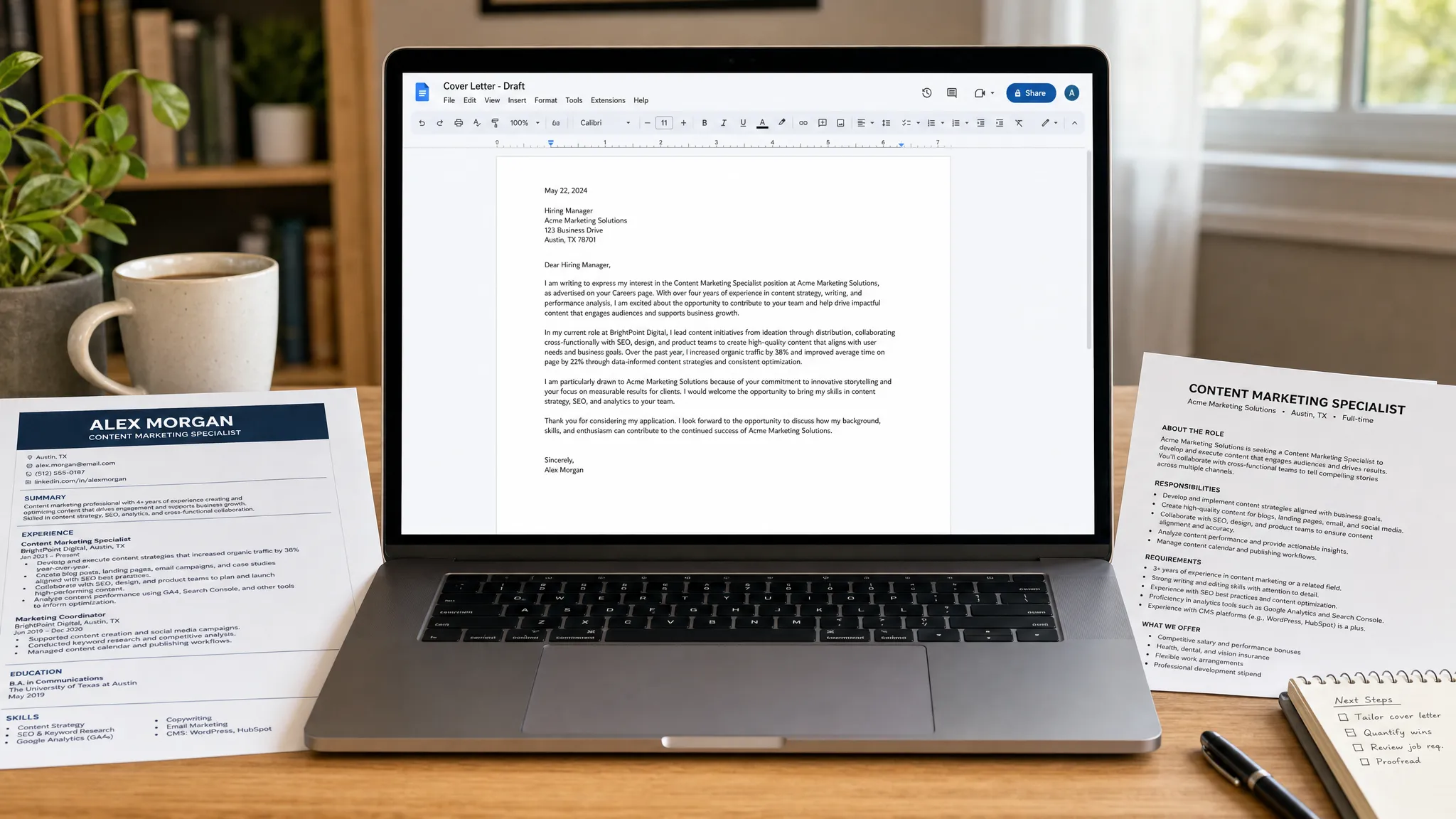
Create a Cover Letter Free With This Fast Workflow
Create a cover letter free with a fast workflow: gather key details, generate a draft, personalize it, and send a polished application.
Write your cover letter — not a blank template
Generate a finished cover letter with your details, tone, and language in ~30 seconds. Free first letter, no credit card — beats copy-pasting and filling the blanks yourself.
A good cover letter should not take all afternoon. If you already have a resume and a job posting, you can create a cover letter free with a simple workflow that turns your best evidence into a polished, role-specific letter in minutes.
The key is not writing more. It is collecting the right details before you draft, using a focused structure, and editing the result so it sounds like a real person applying for a real job. Here is a fast workflow you can use today, whether you start from a blank page, a free template, or an AI cover letter generator like LetterCraft AI.
What your cover letter needs to do
A cover letter is not a second resume. It is a short argument for why your experience fits this specific role. CareerOneStop, a U.S. Department of Labor sponsored resource, recommends using cover letters to connect your skills to the employer's needs and show why you are interested in the role.
In practical terms, your letter should answer three questions quickly:
- Why are you applying for this job at this company?
- What proof shows you can do the work?
- What action do you want the hiring manager to take next?
If your cover letter answers those questions in 250 to 400 words, you are in the right range for most applications. If it takes longer, you are probably repeating your resume instead of selecting the most relevant proof.
For a deeper strategy guide, see our full post on how to write a cover letter that gets interviews. The workflow below is the fast version for when you need a strong draft now.
Gather these 5 inputs before you write
Most slow cover letters are slow because the writer starts with an empty document. Do not start there. Spend five minutes collecting the details that will make the letter specific.
| Input | Where to find it | Quick example | Why it matters |
|---|---|---|---|
| Target role and company | Job posting | Customer Success Associate at BrightDesk | Keeps the letter focused on one opportunity |
| Top job requirement | First 5 to 8 bullets in the posting | Handle onboarding calls and reduce churn | Shows you understand the employer's priority |
| One proof point | Resume, portfolio, project notes, past reviews | Improved renewal outreach process for 120 accounts | Turns claims into evidence |
| Company-specific detail | Company website, product page, recent post | The company is expanding self-serve onboarding | Prevents the letter from sounding generic |
| Preferred tone | Industry and seniority level | Warm and confident, or concise and formal | Helps the letter match the context |
This small input sheet is the difference between a generic AI-generated letter and a useful one. The better your details, the better your draft.
The fast workflow to create a cover letter free
Step 1: Compress the job post into one sentence
Before drafting, summarize the employer's need in plain English. This keeps your letter employer-focused instead of me-focused.
Use this formula:
[Company] needs a [role] who can [core outcome] by using [skills or experience].
Example:
BrightDesk needs a Customer Success Associate who can onboard new accounts, answer product questions, and help customers adopt the platform quickly.
That sentence does not need to appear word for word in your letter. It is your writing compass. Every paragraph should support it.
Step 2: Pick one proof point that matches the role
Hiring managers notice proof faster than adjectives. Instead of saying you are organized, motivated, or passionate, choose one achievement that demonstrates it.
Use this quick proof formula:
I helped [team, customer, or company] achieve [result] by [action], using [relevant skill].
If you have numbers, use them. If you do not, use a clear outcome. A recent graduate might mention a capstone project, internship, campus leadership role, volunteer project, or part-time job. A career changer might mention a transferable achievement from a previous field.
Strong proof does not have to be dramatic. It just has to be specific.
Step 3: Generate the first draft
You can draft manually from a free template, but if speed matters, use a purpose-built generator. With LetterCraft AI, you can create a cover letter free to try with no credit card required. Choose the cover letter type, add the role and company details, select a tone, and generate a professional draft in under 30 seconds.
Because LetterCraft AI is built for letters rather than general writing, it guides the draft around a professional structure instead of giving you a loose block of text. You can also copy the result, export it as a PDF, and keep track of previous letters in your history.
The important rule is simple: do not send the first draft untouched. Use AI to beat the blank page, then add your real details.
Step 4: Replace generic claims with evidence
After you have a draft, scan for lines that sound like anyone could have written them. Replace those lines with proof from your input sheet.
| Generic line | Stronger replacement |
|---|---|
| I am a hard worker with strong communication skills. | In my last support role, I handled 40+ customer requests per day while maintaining clear follow-up notes for the team. |
| I am passionate about marketing. | I built a three-email welcome sequence for a student project that increased event sign-ups from our campus list. |
| I believe I would be a great fit for your company. | Your focus on faster customer onboarding matches my experience simplifying help documentation and training new users. |
| I have leadership experience. | As shift lead, I trained four new team members and created a checklist that reduced closing errors. |
This edit takes two minutes and makes the letter sound far more credible.
Step 5: Tighten the letter into 3 short paragraphs
A fast cover letter works best when it follows a simple three-part flow: opening, proof, close. The opening names the job and gives a specific reason for applying. The middle paragraph gives evidence. The closing paragraph restates fit and asks for the next step.
If you want a more detailed structure, read our guide to cover letter tips hiring managers notice. For a fast application, use this rule: one idea per paragraph, no long backstory, and no resume summary paragraph.
Step 6: Format it for easy reading
Use a clean, left-aligned format. Keep the letter to one page. Use a standard font if you are exporting a PDF, and avoid complicated graphics unless you are applying for a design role and the employer asks for a styled document.
If you are sending the letter as an attachment, name the file clearly:
FirstName-LastName-Cover-Letter-Company.pdf
If the application asks you to paste the cover letter into a text box, remove extra formatting and keep the paragraphs short. If you are emailing it, use a direct subject line such as:
Application for [Role] - [Your Name]
Step 7: Save a reusable version, but customize every time
You can reuse your structure, not your entire letter. Keep a master version with your best proof points, then change the company detail, opening sentence, and most relevant achievement for each application.
This is where a tool with letter history can save time. If you generate multiple versions in LetterCraft AI, you can return to previous drafts instead of recreating everything from scratch.
Copy-ready cover letter template
Use this template if you want to draft manually. Replace every bracketed section before sending.
Dear [Hiring Manager Name],

I am excited to apply for the [Role] position at [Company]. Your need for someone who can [job-post priority] stood out to me because my experience in [relevant skill or field] has prepared me to contribute quickly.

In my [current role, previous role, project, or academic experience], I [specific action] and achieved [result or outcome]. I also developed strengths in [skill 1] and [skill 2], which match the responsibilities listed in your posting, especially [specific responsibility from the job description].

I would welcome the opportunity to discuss how my background in [key skill] can support [Company]'s goals. Thank you for your time and consideration.

Sincerely,
[Your Name]
This template is intentionally simple. The customization is what makes it work. If you want more industry-specific examples, browse our free cover letter templates for every industry.
Manual template vs AI generator: which free route is faster?
Both options can work. The right choice depends on how much time you have and how confident you feel writing from scratch.
| Method | Best for | Watch out for |
|---|---|---|
| Free manual template | You know what you want to say and only need structure | Can still sound generic if you do not add proof |
| General AI prompt | You want flexibility and know how to prompt well | May require several revisions to get the right tone and format |
| LetterCraft AI | You want a fast, purpose-built cover letter draft with tone options | You should still personalize the draft before sending |
If you are applying to one dream job, you may want to spend extra time polishing manually. If you are applying to several relevant roles this week, an AI-assisted workflow helps you move faster without sacrificing structure.
For a broader comparison of AI tools, see our guide to the best AI cover letter writer.
What to personalize before you send
Free tools and templates help you move quickly, but personalization is what makes the letter worth reading. Before you submit, check that your letter includes at least one detail that is unique to the job posting and one detail that is unique to you.
A strong final pass should cover these items:
- The company name and job title are correct.
- The opening sentence names a specific reason you are applying.
- The middle paragraph includes one concrete achievement or project.
- The skills you mention match the job description.
- The tone sounds professional but not robotic.
- The closing asks for a conversation without sounding demanding.
Read the letter out loud once. If a sentence sounds stiff, shorten it. If it sounds like a resume bullet copied into paragraph form, add context about why it matters for this role.
Common mistakes that slow you down
Trying to make the letter perfect is one of the biggest reasons applications stall. The goal is not literary perfection. The goal is a clear, relevant, error-free letter that supports your resume.
Avoid these common mistakes:
- Starting with a vague line like I am writing to express my interest and never explaining why.
- Repeating your entire resume instead of choosing one or two proof points.
- Using the same letter for every application.
- Overexplaining a career gap, layoff, or career change in the opening paragraph.
- Adding salary expectations unless the employer specifically asks for them.
- Forgetting to update the company name after reusing a previous draft.
A fast workflow prevents most of these mistakes because it forces you to start with the job, choose proof, and customize before sending.
Frequently Asked Questions
Can I create a cover letter free without a credit card? Yes. You can use a free template manually, or you can try LetterCraft AI without a credit card to generate a fast draft. Always review and personalize the final version before submitting it.
How long should a cover letter be? Most cover letters should be 250 to 400 words, or about three short paragraphs. If the employer requests a shorter note or provides a text box with limited space, prioritize your strongest proof and keep it concise.
Is it okay to use AI for a cover letter? Yes, as long as you treat AI as a drafting assistant rather than a replacement for your judgment. Add real achievements, company-specific details, and your own wording so the letter sounds authentic.
Do I need a different cover letter for every job? You do not need to rewrite everything from scratch, but you should customize the opening, proof point, and company detail for each role. A lightly tailored letter is usually much stronger than a generic one.
What if I do not have much work experience? Use evidence from internships, class projects, volunteer work, part-time jobs, certifications, or personal projects. Focus on transferable skills such as communication, problem-solving, reliability, research, customer service, or technical ability.
Should I send a PDF or paste the letter into the application? Follow the employer's instructions. If attachments are allowed, PDF is usually a clean option because it preserves formatting. If the application has a text field, paste plain text and keep the structure simple.
Create your cover letter free today
You do not need to stare at a blank page or spend hours rewriting the same letter. Start with the five inputs above, generate a focused draft, personalize the proof, and send a clean final version.
With LetterCraft AI, you can create a professional cover letter in under 30 seconds, choose from multiple tone options, copy the result, export to PDF, and keep your drafts organized. It is free to try, no credit card required, and simple one-time pricing tiers are available if you need more letters later.
Try the workflow now and turn your next job posting into a polished cover letter before your motivation disappears.
Write your cover letter — not a blank template
Generate a finished cover letter with your details, tone, and language in ~30 seconds. Free first letter, no credit card — beats copy-pasting and filling the blanks yourself.