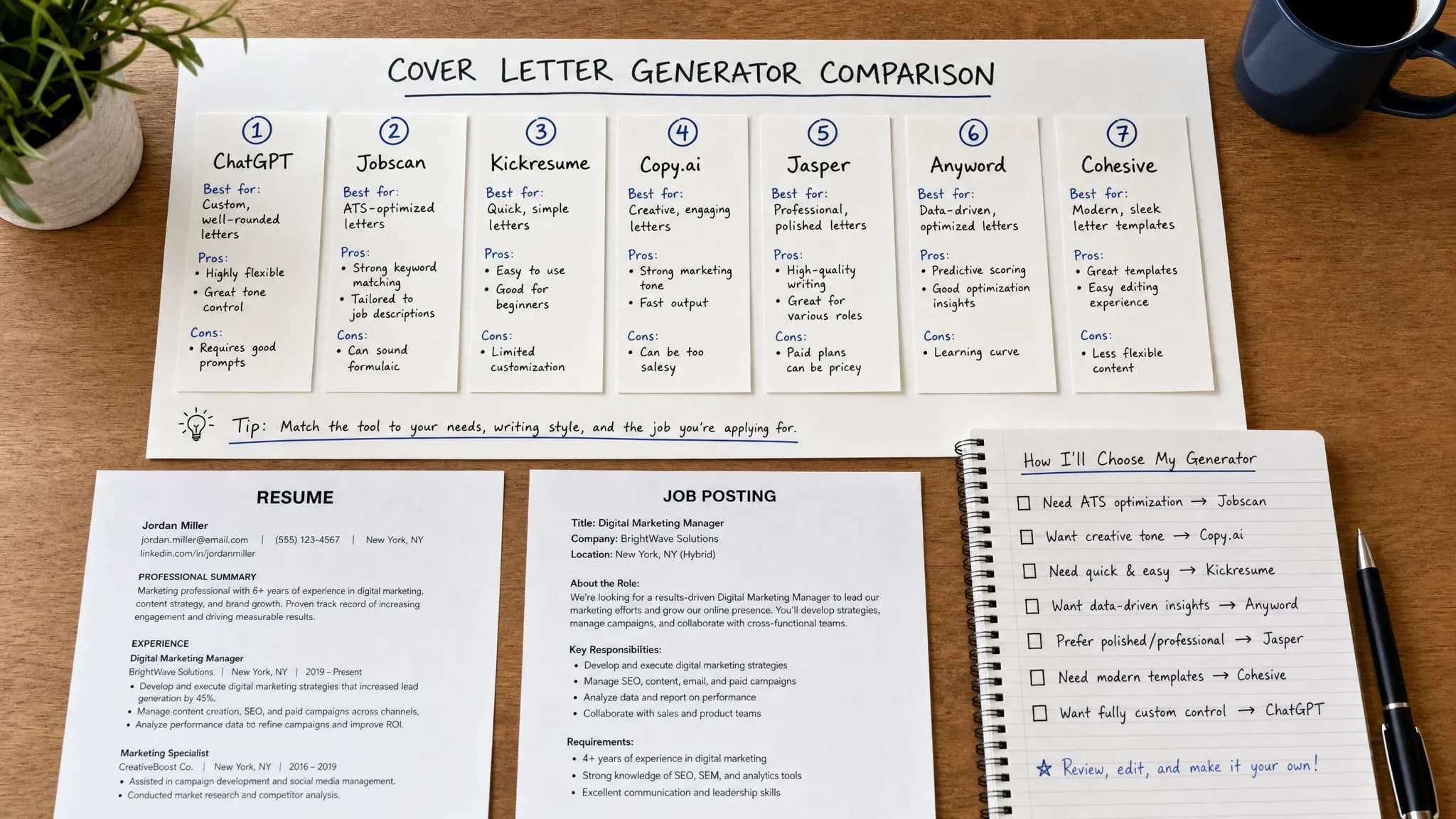
Best Free Cover Letter Generator Tools Compared
Compare the best free cover letter generator tools for 2026, including AI writers, templates, and when to use each to apply faster.
Write your cover letter — not a blank template
Generate a finished cover letter with your details, tone, and language in ~30 seconds. Free first letter, no credit card — beats copy-pasting and filling the blanks yourself.
A free cover letter generator can save hours, but not every free tool solves the same problem. Some tools write the letter for you. Some improve a draft you already have. Others only help with layout. The best choice depends on whether you need a polished letter in 30 seconds, a flexible brainstorming partner, or a clean design for the final file.
Below is a practical comparison of the best free cover letter generator tools in 2026, including what each one does well, where it falls short, and which type of job seeker should use it.
What Counts as a Free Cover Letter Generator?
For this comparison, free means you can start creating or improving a cover letter without paying upfront. That does not always mean unlimited generation, unlimited exports, or every premium template. Some platforms offer a free draft but charge for advanced formatting. Others offer free AI chat, but require you to write your own prompt and edit the result carefully.
A strong free cover letter generator should help you do five things:
- Turn a job title, resume details, and company information into a coherent letter.
- Customize the letter for a specific role instead of producing a generic paragraph.
- Keep the tone professional, confident, and concise.
- Let you copy, download, or export the result easily.
- Make editing simple so the final letter still sounds like you.
If a tool only gives you a pretty template but does not help with wording, it is still useful, but it is not the same as an AI cover letter writer.
Quick Comparison: Best Free Cover Letter Generator Tools
| Tool | Best for | Free access type | Main strength | Main limitation |
|---|---|---|---|---|
| LetterCraft AI | Fast personalized cover letters | Free to try, no credit card required | Purpose-built letter generation with tone options and export | You still need to review and add specific proof points |
| ChatGPT | Flexible drafting and rewriting | Free AI chat access available | Highly customizable if you know how to prompt | Output can be generic without detailed instructions |
| Google Gemini | Job-post analysis and quick drafts | Free AI assistant access available | Good for summarizing job requirements and brainstorming | Not dedicated to cover letter structure |
| Microsoft Copilot | Microsoft ecosystem users | Free web and app access available | Convenient for users working in Word or Microsoft tools | May need more editing for a polished job application |
| Grammarly | Polishing tone, grammar, and clarity | Free writing assistance, with limits that can change | Excellent editing support after you draft | Less ideal as a full cover letter generator from scratch |
| Canva | Visual cover letter templates | Free design templates, some assets may be paid | Great for layout and presentation | Design-first, not writing-first |
| Resume.com | Simple traditional cover letter building | Free builder-style workflow | Straightforward templates for conventional applications | Less AI-driven personalization than dedicated tools |
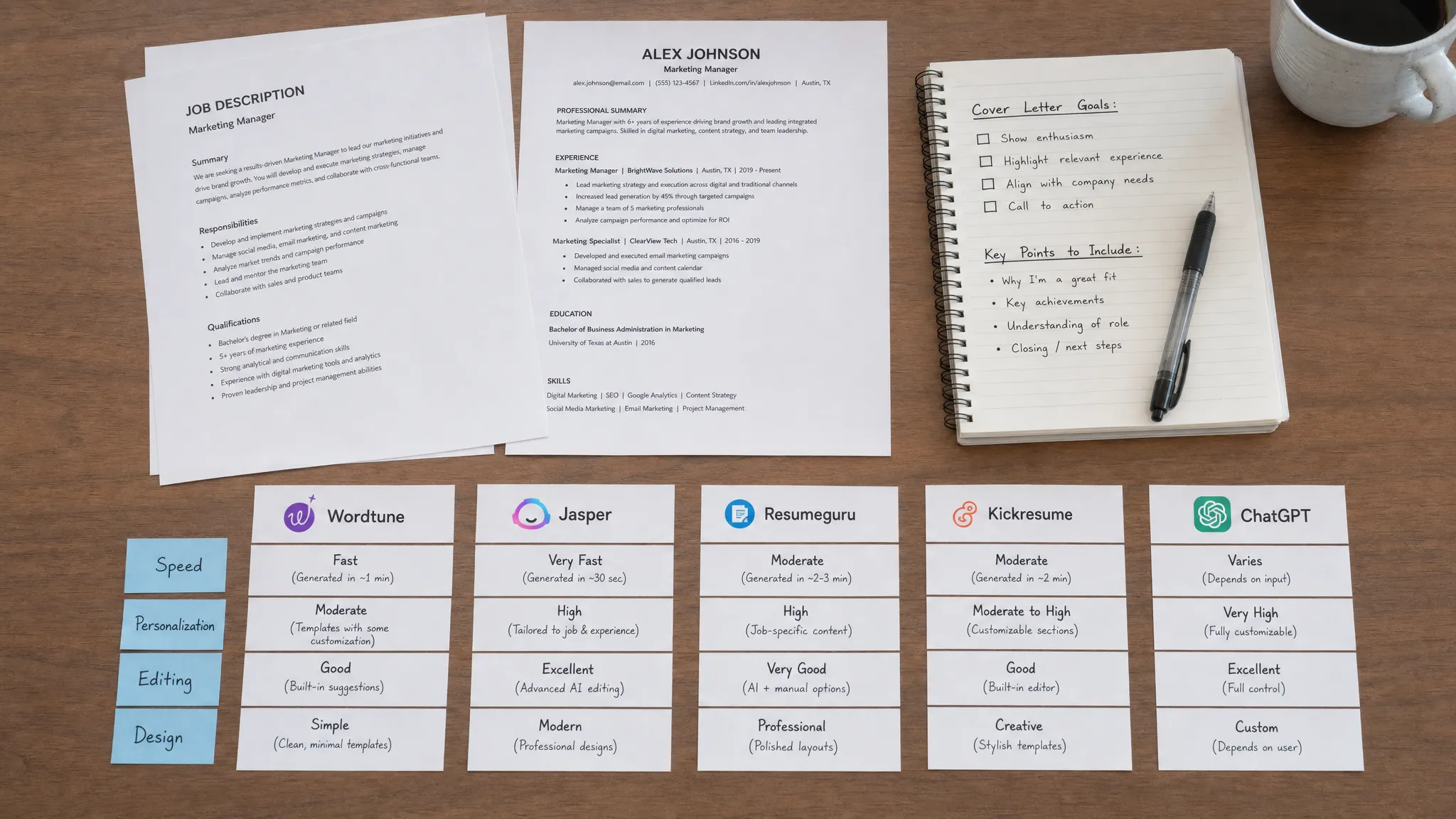
1. LetterCraft AI: Best Free Cover Letter Generator for Fast Personalized Drafts
LetterCraft AI is built specifically for professional letters, which makes it different from general AI chatbots. Instead of starting with a blank prompt, you fill in a few details about the role, your background, and the tone you want. The tool then generates a structured cover letter in under 30 seconds.
This is the best fit if you want a ready-to-edit draft without learning prompt engineering. It is also useful if you need other job search letters, such as thank-you notes, letters of intent, or resignation letters, because the platform supports 65+ letter types. For cover letters, the key advantage is that the workflow is already designed around a professional letter format, not a generic conversation.
LetterCraft AI includes multiple tone options, copy-to-clipboard, PDF export, letter history tracking, and support for 5 languages. It is free to try with no credit card required, and the pricing is based on simple tiers rather than a required subscription.
The main limitation is the same limitation every AI writing tool has: the first draft is only as strong as the details you provide. If you enter only a job title, the letter will be broad. If you include measurable achievements, relevant skills, and one reason you want the company, the output becomes much more convincing.
Best choice if: You want a polished, job-specific cover letter quickly and do not want to build prompts from scratch.
2. ChatGPT: Best for Flexible AI Drafting
ChatGPT is one of the most flexible free AI writing tools because you can ask it to draft, rewrite, shorten, personalize, or critique your cover letter. It can be excellent when you provide a strong prompt that includes the job description, your resume highlights, your preferred tone, and your target word count.
For example, you can ask it to write a 250-word cover letter for a customer success role, using three specific achievements from your resume and a warm but concise tone. You can then ask for a stronger opening, a less formal version, or a version that addresses a career change.
The downside is that ChatGPT is not a dedicated cover letter generator. It will not automatically know which details matter unless you provide them. It may also use polished but overfamiliar phrases, such as excited to apply, proven track record, or uniquely qualified. Those phrases are not wrong, but they can make your letter blend in.
Best choice if: You are comfortable giving detailed instructions and want maximum flexibility for rewriting and brainstorming.
3. Google Gemini: Best for Analyzing Job Descriptions
Google Gemini is useful when you need to understand what a job posting is really asking for. You can paste a job description and ask Gemini to identify the top skills, responsibilities, and keywords to address in your letter. From there, you can ask it to draft a cover letter around your experience.
This makes Gemini especially helpful before you write. If a posting is long, vague, or packed with requirements, Gemini can help you separate the must-have qualifications from the nice-to-have ones. That gives you a better foundation for a targeted cover letter.
Like other general AI assistants, Gemini works best when you guide it. If you simply ask for a cover letter, the result may sound too broad. If you give it a resume summary, the job description, and a few achievements, it becomes much more useful.
Best choice if: You want help interpreting the job description before creating your final letter.
4. Microsoft Copilot: Best for Microsoft Word Users
Microsoft Copilot is a practical option for job seekers who already use Microsoft tools. It can help draft cover letter text, rephrase paragraphs, and generate ideas based on your instructions. If your workflow already happens in Word, Outlook, or OneDrive, Copilot can feel convenient.
Its biggest advantage is integration. Many applicants draft resumes and cover letters in Microsoft Word, so using an AI assistant in the same ecosystem can reduce switching between tools. Copilot can also help condense long writing, make a paragraph sound more professional, or produce a clean email version of your cover letter.
The main drawback is that Copilot is a general assistant, not a dedicated cover letter tool. You may need to supply the structure yourself and revise the opening and closing so the letter feels tailored rather than generated.
Best choice if: You already write applications in Microsoft tools and want AI help inside your normal workflow.
5. Grammarly: Best for Editing a Cover Letter You Already Have
Grammarly is best viewed as a cover letter editor, not just a generator. Its free writing tools can help catch grammar issues, improve clarity, and smooth out awkward phrasing. Depending on current plan limits, AI writing suggestions may vary, but Grammarly remains useful for polishing a final draft.
This matters because many cover letters fail not because the idea is bad, but because the writing is vague, wordy, or too formal. Grammarly can help you remove filler, improve sentence flow, and make your tone more confident.
For best results, generate a draft elsewhere, then use Grammarly to tighten it. It is particularly helpful for non-native English speakers, applicants returning to the workforce, and anyone who tends to over-explain.
Best choice if: You already have a draft and want it to sound cleaner, clearer, and more professional.
6. Canva: Best for Cover Letter Design and Templates
Canva is not primarily a cover letter writing tool. It is a design platform with templates that can help you create a visually polished document. If you are applying for a creative, marketing, communications, or design-adjacent role, Canva can help you make your cover letter look modern and consistent with your resume.
However, design should not come before content. A beautiful cover letter that says nothing specific will not help much. Also, overly complex designs can create problems if an employer wants a simple attachment or if the application system prefers plain formatting.
A good workflow is to write the content first, then use Canva only if presentation matters for the role. Keep the design clean, readable, and professional.
Best choice if: You already have strong cover letter text and want a polished visual layout.
7. Resume.com: Best for a Simple Traditional Builder
Resume.com offers a straightforward builder-style experience for job application documents. It is useful if you want a conventional cover letter format and do not need heavy AI personalization.
This type of tool can be a good option for entry-level applicants or anyone who wants a basic structure without overthinking layout. It can help you avoid formatting mistakes and keep the document professional.
The tradeoff is that traditional builders often depend heavily on your manual edits. They may not provide the same depth of role-specific reasoning or tone customization that a dedicated AI letter generator provides.
Best choice if: You want a simple, standard cover letter format and prefer a guided builder over an open-ended AI chat.
Which Free Cover Letter Generator Should You Choose?
The right tool depends on your stage in the writing process. If you have no draft, start with a purpose-built generator. If you have a rough draft, use an editor. If you have strong text but poor formatting, use a design or document tool.
| If your situation is... | Use this tool first | Why |
|---|---|---|
| You need a cover letter today | LetterCraft AI | Fast structured draft with minimal setup |
| You want to brainstorm multiple angles | ChatGPT | Flexible rewriting and idea generation |
| You do not understand the job posting | Google Gemini | Helpful for extracting requirements and keywords |
| You write everything in Word | Microsoft Copilot | Convenient if you already use Microsoft tools |
| Your draft sounds awkward | Grammarly | Strong clarity, grammar, and tone support |
| Your letter looks plain | Canva | Better layout and visual consistency |
| You want a basic traditional document | Resume.com | Simple builder-style structure |
For most applicants, the best workflow is not one tool. It is a simple sequence: generate, personalize, polish, then format.
A 10-Minute Free Cover Letter Workflow
If you are applying to multiple jobs, speed matters, but quality matters more. A generic AI letter can hurt you because it signals low effort. A targeted 200 to 300 word letter is usually better than a long, polished letter that could apply to anyone.
Here is a fast workflow that keeps the letter personal:
- Start with the job description and identify the top three requirements.
- Choose one or two achievements from your resume that prove you can meet those requirements.
- Generate a first draft with LetterCraft AI or another AI tool.
- Add one company-specific detail, such as a product, mission, customer type, or recent initiative.
- Edit out generic phrases and replace them with concrete evidence.
- Run a final grammar and clarity check before sending.
If you want more structure before using a generator, read our guide on how to write a cover letter that gets interviews in 2026. If you prefer working from examples, see these cover letter examples that got interviews.
What to Put Into a Cover Letter Generator for Better Results
The best free cover letter generator still needs good inputs. Do not paste only your name and the job title. Give the tool enough detail to make the letter sound like it belongs to you.
Strong inputs include the role title, company name, two or three relevant skills, one measurable achievement, your reason for applying, and any situation the letter should address, such as a career change, layoff, relocation, or employment gap.
For example, instead of saying you are experienced in sales, say you managed a 120-account pipeline, exceeded quarterly targets by 18 percent, and helped onboard two junior reps. Instead of saying you like the company, mention the specific product, customer base, mission, or team that connects with your experience.
This is the difference between an AI-sounding letter and a persuasive letter. AI can structure the message, but your specific details make it credible.
Free Tools vs Paid Tools: When Should You Upgrade?
A free cover letter generator is often enough for occasional applications. If you are applying to one or two jobs per month, a free draft plus manual editing can work well.
You may want to upgrade when you are applying at high volume, need consistent formatting, want export options, need letter history, or want multiple tones and versions for different roles. Paid plans can also be useful if you need more than cover letters, such as resignation letters, complaint letters, recommendation requests, or formal appeals.
The key is not whether a tool is free or paid. The key is whether it saves time while improving quality. If a free tool creates a generic letter that takes 40 minutes to fix, it is not really saving you time.
Common Mistakes When Using Free Cover Letter Generators
The biggest mistake is sending the first draft unchanged. Recruiters can usually tell when a letter is generic, even if they are not using AI detection tools. The letter may be grammatically correct, but it lacks proof, context, and personality.
Another mistake is making the letter too long. A cover letter does not need to repeat your resume. It should explain why your experience fits this role and why you are interested in this company. For most applications, three concise paragraphs are enough.
Finally, avoid overdesigned formatting unless the role values visual presentation. Many hiring teams prefer a simple document that is easy to read, print, and scan.
Frequently Asked Questions
What is the best free cover letter generator? For most job seekers, LetterCraft AI is the best starting point because it is built specifically for professional letters, is free to try, requires no credit card, and creates personalized drafts quickly. ChatGPT and Gemini are strong alternatives if you prefer a flexible AI assistant and are comfortable writing prompts.
Is a free cover letter generator good enough for job applications? Yes, if you edit the draft before sending it. A free tool can create a strong structure, but you should add specific achievements, company details, and natural wording so the final letter sounds personal.
Can employers tell if I used AI to write my cover letter? Employers are usually more concerned with whether the letter is relevant and authentic than whether AI helped draft it. To avoid an obvious AI style, add concrete examples, vary sentence length, remove generic phrases, and read the final version aloud.
Should I use the same generated cover letter for every job? No. You can reuse a structure, but each letter should be adjusted for the job title, company, and top requirements. Even two or three targeted edits can make a major difference.
What should I avoid putting into a free AI tool? Avoid adding sensitive personal information that is not needed for the application, such as full identification numbers, private medical details, confidential employer data, or salary documents. Use only the information required to create a relevant letter.
Do I need a designed cover letter template? Usually no. A clean, readable format is enough for most roles. Designed templates can help for creative fields, but content, relevance, and clarity matter more than decoration.
Generate a Better Cover Letter in Less Time
A free cover letter generator should not just produce words. It should help you create a focused, professional letter that connects your experience to the job you want.
If you want the fastest purpose-built option, try LetterCraft AI. Add a few details, choose the tone that fits your application, and generate a personalized cover letter in under 30 seconds. You can start free with no credit card required, then edit, copy, export, and reuse your letters as you apply.
Write your cover letter — not a blank template
Generate a finished cover letter with your details, tone, and language in ~30 seconds. Free first letter, no credit card — beats copy-pasting and filling the blanks yourself.