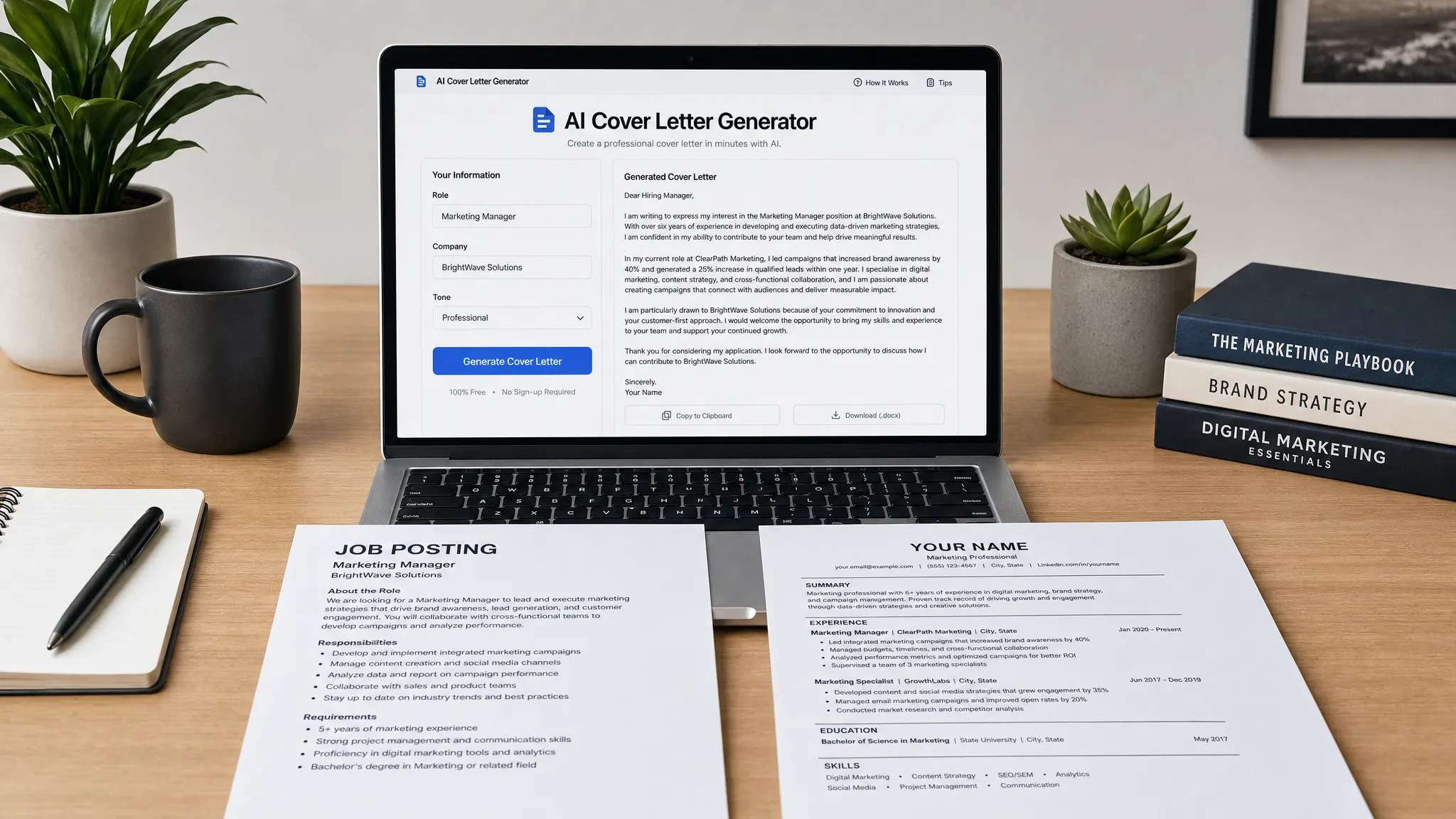
Free AI Cover Letter Generator Tips for Better Results
Use a free AI cover letter generator better: learn what details to add, what to edit, and how to avoid generic, risky drafts.
Write your cover letter — not a blank template
Generate a finished cover letter with your details, tone, and language in ~30 seconds. Free first letter, no credit card — beats copy-pasting and filling the blanks yourself.
A free AI cover letter generator can take you from a blank page to a usable draft in seconds. The difference between a forgettable letter and a strong one, though, usually comes down to what you put into the tool before generation and what you edit after.
Think of AI as a drafting partner, not a replacement for your judgment. It can organize your thoughts, improve wording, and adjust tone quickly. It cannot know which achievements are true, which employer priorities matter most, or which parts of your experience deserve the spotlight unless you tell it.
Use the tips below to get a sharper, more credible, and more personalized cover letter from any free AI tool, especially when you have limited time to apply.
What a free AI cover letter generator can and cannot do
A good generator can help you structure a professional letter, avoid awkward phrasing, and adapt your message to a specific role. This is especially useful if you struggle with the opening paragraph, need a more confident tone, or want to avoid repeating your resume line by line.
But a free AI cover letter generator is only as strong as the information it receives. If you enter something broad like, “Write a cover letter for a project manager job,” the output will usually sound broad too. You may get polished sentences, but they will not prove that you understand the company’s needs or that your background fits the role.
The best results come from combining three things: a clear target role, truthful proof points, and a final human edit. That combination helps the letter feel specific without sounding overproduced.
Start with the job posting, not your resume
Many applicants begin by pasting their resume into an AI tool. That can help, but it is not the best first move. A cover letter is not a summary of your entire career. It is a short argument for why your experience matches this particular opportunity.
Before generating anything, read the job posting and identify the employer’s top priorities. Look for repeated phrases, required skills, business problems, and clues about team culture. Then choose the two or three areas where your experience overlaps most strongly.
| Job posting clue | What it may signal | Better input for the generator |
|---|---|---|
| Manages cross-functional projects | The role requires coordination and ownership | Mention teams you coordinated, deadlines, tools, and outcomes |
| Improve customer retention | The company cares about measurable business impact | Include retention, satisfaction, renewal, or support metrics if true |
| Fast-paced startup environment | Adaptability and prioritization matter | Share an example of managing changing priorities or limited resources |
| Strong written communication | Clarity and stakeholder updates are important | Mention reports, documentation, proposals, or client communication |
| Experience with Salesforce, HubSpot, or Excel | Tool fluency may reduce training time | Include only tools you can honestly discuss in an interview |
This step prevents generic output because you are giving the AI a strategy. Instead of asking it to describe you, you are asking it to connect your background to the employer’s problem.
If you want a broader approach to building a no-cost letter from scratch, this guide on how to make a cover letter free without looking generic pairs well with the workflow below.
Build a quick cover letter brief before generating
You do not need a long document. A simple cover letter brief with a few high-value details is enough to improve the first draft dramatically.
Include the role title and company name, the reason you are interested, two or three achievements that match the job, and the tone you want. If the application has constraints, such as a one-page limit or a formal industry style, include those too.
Here is a simple brief format you can use:
Target role: [Job title]
Company: [Company name]
Why I am interested: [One specific reason]
Top job requirements: [Requirement 1], [Requirement 2], [Requirement 3]
Relevant proof points: [Achievement 1], [Achievement 2], [Achievement 3]
Tone: [Professional, warm, concise, confident, or formal]
Length: [250 to 350 words, or one page]
Important instruction: Do not invent metrics, employers, tools, or responsibilities.
That last line matters. AI tools sometimes make language sound stronger by adding vague or inflated claims. A good cover letter should sound confident, but it must also be interview-safe. If you cannot defend a claim in a conversation with a hiring manager, remove it.
Use a stronger prompt if the tool allows custom instructions
Some free generators ask you to fill in fields. Others allow a full prompt. If you can add custom instructions, be specific about the structure and the kind of evidence you want included.
Try this prompt:
Write a one-page cover letter for the [Job title] role at [Company]. Focus on how my experience in [Skill or field] matches the company’s need for [Need from job posting]. Use a professional but natural tone. Open with a specific reason I am a strong fit, include two evidence-based body paragraphs, and close with interest in discussing the role. Use only the details I provide. Do not invent achievements, metrics, certifications, or company facts.

My background: [Paste concise resume highlights]
Job posting priorities: [Paste 3 to 5 key requirements]
Proof points: [Paste 2 to 3 true achievements]
Why this company: [Paste 1 specific reason]
This works better than a one-line request because it gives the AI a job to do. It tells the tool what to emphasize, what to avoid, and how to organize the letter.
Choose the right tone for the situation
Tone is one of the easiest ways to improve an AI draft. The wrong tone can make a good candidate sound either too stiff or too casual. Most cover letters should sound professional, direct, and human.
| Situation | Best tone | Why it works |
|---|---|---|
| Corporate, finance, legal, or government role | Formal and concise | Shows judgment, clarity, and respect for conventions |
| Startup, creative, marketing, or customer-facing role | Warm and energetic | Helps personality come through without becoming casual |
| Technical or operations role | Direct and evidence-based | Keeps attention on skills, systems, and results |
| Career change | Clear and explanatory | Connects transferable experience to the new role |
| Senior or leadership role | Confident and strategic | Focuses on scope, decisions, and business impact |
If your generator offers tone options, choose one that matches the employer and role. If you are unsure, “professional and natural” is usually safer than “enthusiastic” or “highly formal.”
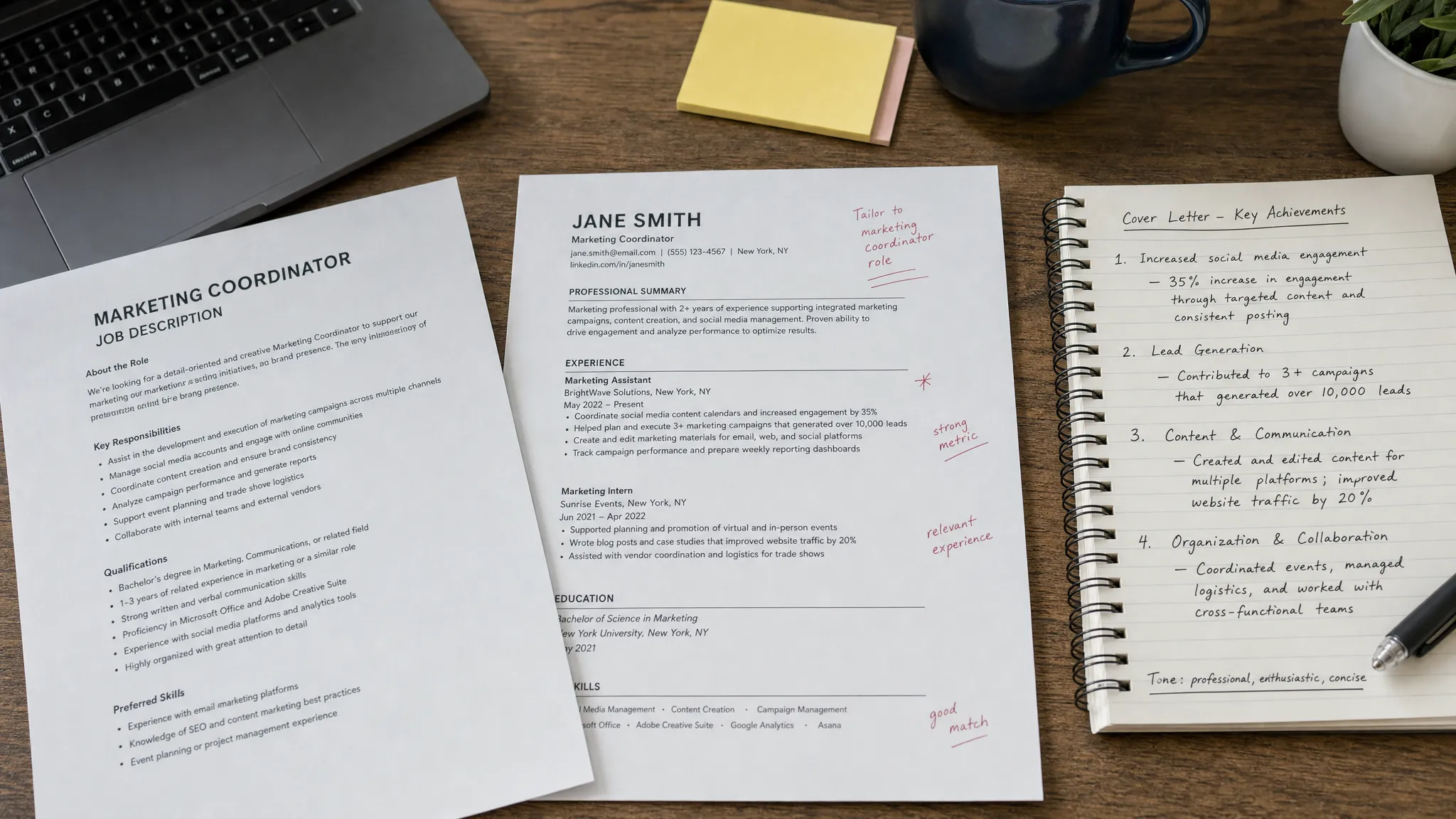
Fix the opening paragraph first
AI-generated cover letters often begin with a predictable sentence: “I am excited to apply for the role of…” That is not wrong, but it wastes the most valuable space in the letter. Hiring managers usually decide quickly whether the letter is worth reading, so the opening should make your fit obvious.
A stronger opening does three things. It names the role, points to your most relevant strength, and connects that strength to the employer’s needs.
| Weak AI opening | Stronger edit | Why it is better |
|---|---|---|
| I am excited to apply for the Marketing Coordinator position. | I am applying for the Marketing Coordinator role because my experience coordinating email campaigns, social content, and performance reporting matches your need for a detail-oriented marketing generalist. | It immediately connects experience to the role |
| I believe my skills make me a strong candidate. | In my last role, I supported weekly customer reporting and helped reduce response delays by improving our intake process. That experience aligns closely with your focus on client operations. | It uses proof instead of self-praise |
| Your company has a great reputation. | Your recent expansion into small business services stood out to me because much of my experience has focused on simplifying support for growing teams. | It shows specific interest |
You do not need a dramatic hook. You need relevance. A clear, specific opening beats an overly clever one almost every time.
Make achievements sound credible, not exaggerated
The strongest cover letters include evidence. That does not always mean big numbers. Metrics are useful when they are true, but scope, frequency, complexity, and outcomes can also show value.
For example, “improved team communication” is weak because it is vague. A stronger version would be, “created a weekly project update that helped sales, support, and operations track open issues before client meetings.” Even without a percentage, the second version is more believable because it shows what changed and who benefited.
When editing AI output, look for claims that sound impressive but unsupported. Replace them with concrete details from your real experience. If the AI writes that you “transformed” a process, ask yourself what actually happened. Did you save time, reduce errors, improve handoffs, increase response speed, or make reporting clearer?
Use this simple evidence ladder when you do not have formal metrics:
- Specific task: What did you actually do?
- Scope: How many people, clients, projects, tickets, reports, or locations were involved?
- Outcome: What became easier, faster, clearer, safer, or more reliable?
- Relevance: Why does that matter for the job you want now?
This approach keeps the letter honest while still making your contribution visible.
Keep the final letter short and easy to scan
A cover letter should not try to tell your whole career story. In most cases, 250 to 400 words is enough. The goal is to make a focused case, then invite the employer to read your resume with more context.
Career writing resources such as Purdue OWL’s guidance on job application letters emphasize connecting your qualifications to the employer’s needs. That is the standard your AI draft should meet. If a sentence does not help show fit, motivation, or proof, it probably does not need to be there.
A practical structure is three to four short paragraphs. Start with your fit for the role, follow with one or two evidence-based examples, then close with interest in the next step. Avoid long blocks of text, excessive adjectives, and generic statements about being passionate, hardworking, or a perfect fit.
Optimize formatting before you send
Even a strong letter can lose impact if the formatting looks messy. Keep the final version clean and readable. Use a standard greeting when possible, short paragraphs, and consistent spacing. If the employer requests a specific file type, follow that instruction exactly.
If no format is specified, PDF is often a good option because it preserves layout. If you are pasting the cover letter into an online form, remove unusual spacing, special symbols, and formatting that may not transfer well.
Name the file clearly, such as FirstName-LastName-Cover-Letter.pdf. This small detail makes your application easier to manage and looks more professional than a generic file name like coverletterfinal2.pdf.
For applicants comparing tool options, this breakdown of the best free cover letter generator tools can help you decide whether you need a simple writer, a design-focused builder, or a tool with more letter-specific controls.
Run a five-minute AI red-flag check
Before submitting, read the letter as if you were the hiring manager. The goal is not just to catch typos. It is to remove anything that makes the letter feel automated, inflated, or disconnected from the job.
Check for these common AI red flags:
- Generic praise that could apply to any company
- Repeated phrases from your resume without added context
- Claims you cannot verify in an interview
- Overly formal language you would never say aloud
- Too many adjectives and not enough evidence
- A closing paragraph that sounds copied from a template
One useful test is to remove the company name and job title. If the letter could still apply to dozens of roles, it needs more personalization.
When a free AI generator is enough
A free AI cover letter generator is usually enough when you need a first draft, a cleaner structure, or help turning rough notes into professional language. It is also useful when you are applying to several similar roles and need to tailor each letter without starting over every time.
However, if you are applying for a highly competitive role, changing careers, or explaining a complex background, plan to spend extra time editing. AI can help you frame the story, but you should decide the strategy.
Tools also vary in how much guidance they provide. LetterCraft AI, for example, is designed for professional letter generation across many scenarios, including cover letters, with personalized inputs, multiple tone options, copy features, PDF export, and no credit card required to try. If you want a guided experience instead of building prompts from scratch, you can generate a professional letter with LetterCraft AI and then refine the result using the checklist above.
A simple 10-minute workflow for better results
Use this process when you need a strong letter quickly:
- Read the job posting and choose the top three employer priorities.
- Pick two achievements that prove you can meet those priorities.
- Write one specific reason you are interested in the company or role.
- Enter those details into your free AI cover letter generator.
- Choose a tone that fits the industry and seniority level.
- Edit the opening paragraph so your relevance is clear immediately.
- Remove generic claims, verify every detail, and format the final letter cleanly.
This workflow keeps AI from doing the wrong job. Instead of asking it to invent a persuasive letter, you are giving it the ingredients and using it to shape them into a polished result.
Frequently Asked Questions
What should I put into a free AI cover letter generator? Add the job title, company name, top requirements from the posting, two or three true achievements, your reason for applying, and the tone you want. The more specific your inputs are, the less generic the output will sound.
Is it okay to use AI for a cover letter? Yes, as long as the final letter is truthful, personalized, and reviewed by you. AI can help with structure and wording, but you are responsible for the accuracy of every claim.
How do I make an AI cover letter sound less generic? Replace broad statements with specific proof. Mention the company’s actual need, use examples from your experience, and remove template phrases that could apply to any applicant.
Should I paste my entire resume into an AI cover letter tool? You can, but it is usually better to paste a concise summary of the most relevant experience. Too much information can lead to an unfocused letter that repeats your resume instead of highlighting fit.
How long should an AI-generated cover letter be? Most cover letters should fit on one page and land around 250 to 400 words. Shorter is often better if the letter clearly connects your experience to the job.
Can a free AI cover letter generator help with a career change? Yes. It can help you explain transferable skills and connect past experience to a new field. Be sure to provide the tool with the reason for your transition and examples that prove you can do the new work.
Create a sharper cover letter in less time
A free AI cover letter generator works best when you guide it with real details, edit for relevance, and keep the final version honest. The result should sound like you on a good writing day, clear, confident, and focused on the employer’s needs.
If you want a faster way to create a polished draft, try LetterCraft AI. Add a few details, choose the tone that fits your situation, generate your letter, and refine it before sending.
Write your cover letter — not a blank template
Generate a finished cover letter with your details, tone, and language in ~30 seconds. Free first letter, no credit card — beats copy-pasting and filling the blanks yourself.