How to Format a Cover Business Letter Correctly
Learn how to format a cover business letter correctly, with layout rules, spacing, sections, templates, and email tips for polished letters.
A strong message can still look weak if the formatting is confusing. When a hiring manager, client, admissions officer, or business contact opens your letter, the layout creates the first impression before they read a single sentence.
A correctly formatted cover business letter should be clean, left-aligned, easy to scan, and structured like a professional business document. The goal is not to make it look fancy. The goal is to make your purpose, credibility, and next step obvious within seconds.
This guide walks through the correct cover business letter format, section by section, with spacing rules, a copy-ready template, an email version, and common mistakes to fix before you send.
What Is a Cover Business Letter?
A cover business letter is a formal letter that introduces another document, request, application, proposal, report, or professional action. In job searching, it usually means a cover letter formatted in standard business letter style. In business communication, it can also introduce a proposal, contract packet, invoice explanation, partnership request, or formal submission.
The common thread is simple: the letter provides context. It tells the reader why you are writing, what you are sending, why it matters, and what you want them to do next.
A cover business letter is different from a casual email because it follows a recognized professional format. Purdue OWL's guidance on business letters emphasizes clear structure, sender and recipient details, a formal greeting, concise body paragraphs, and a professional closing. Those same principles apply when you format a cover letter for a job, client, or formal request.
The Quick Formatting Checklist
Before you write the body, set up the document correctly. These rules work for most cover business letters, including job cover letters and letters attached to business proposals.
- Use a one-page document unless the recipient specifically asks for more detail.
- Choose a simple font such as Arial, Calibri, Times New Roman, Georgia, or Aptos.
- Use 10.5 to 12 point font size.
- Keep margins around 1 inch on all sides.
- Use full-block format, with all text left-aligned.
- Single-space within paragraphs and add one blank line between sections.
- Include sender details, date, recipient details, salutation, body, closing, and signature.
- Keep body paragraphs short, ideally 3 to 5 lines each.
- Save as a PDF when attaching, unless the application system requests another format.
If you remember only one rule, remember this: clarity beats decoration. A polished cover business letter should look like it belongs in a professional file, not like a flyer.
Correct Order of Sections in a Cover Business Letter
Use the same order every time. This helps the reader understand who you are, why you are writing, and what action you want.
| Section | Required? | What to Include | Formatting Tip |
|---|---|---|---|
| Sender details | Usually yes | Your name, address or city, phone, email, and relevant link | Place at the top, left-aligned |
| Date | Yes for attachments | Month, day, and year | Put one blank line after sender details |
| Recipient details | Best practice | Name, title, organization, and address if known | Use the most specific contact available |
| Subject or reference line | Optional | Job title, proposal name, account number, or document topic | Helpful for business submissions and formal requests |
| Salutation | Yes | Dear plus name or role | Avoid overly casual greetings |
| Opening paragraph | Yes | Purpose and reason for writing | Make it specific immediately |
| Body paragraph or paragraphs | Yes | Evidence, context, qualifications, or key points | Keep it scannable and relevant |
| Closing paragraph | Yes | Thank the reader and state the next step | Be confident, not pushy |
| Sign-off and signature | Yes | Sincerely, Respectfully, or Best regards, plus your name | Include typed name for digital letters |
| Enclosure or attachment note | Optional | Resume, proposal, invoice, transcript, or supporting document | Use only when something is attached |
Page Layout Rules That Make the Letter Look Professional
Use full-block formatting
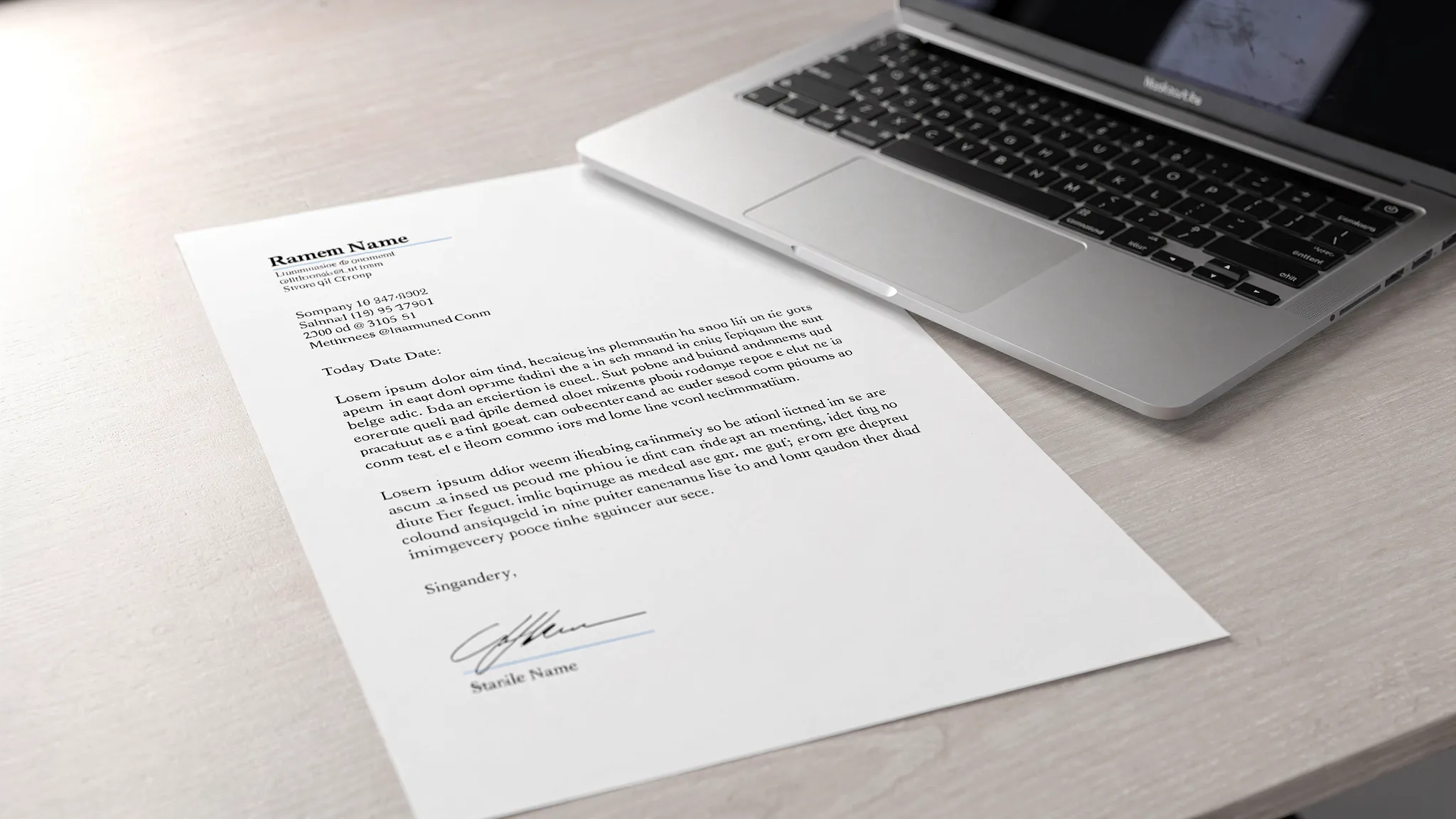
Full-block format means every element starts at the left margin. Do not indent paragraphs. Do not center the date or signature unless you are following a specific company template.
This format is widely used because it is simple, readable, and easy to scan on screens. It also avoids formatting problems when your letter is uploaded into a job portal or forwarded internally.
Keep the letter to one page
For most job applications and business submissions, one page is enough. CareerOneStop, sponsored by the U.S. Department of Labor, advises job seekers to use cover letters to connect their skills to the employer's needs, not to repeat the resume. That is a useful rule for any cover business letter: summarize the most relevant points, then let the attached document carry the detail.
A practical target is 250 to 400 words for job cover letters, and 150 to 300 words for shorter business cover letters that introduce proposals, invoices, or document packets.
Match the tone to the situation
The format should be consistent, but the tone can shift slightly depending on the purpose.
A job cover letter should sound confident, specific, and evidence-based. A proposal cover letter should be clear, service-oriented, and focused on the recipient's goal. A complaint or dispute cover letter should be firm, factual, and organized.
Do not over-formalize the language. Phrases like please find enclosed are acceptable, but you can often write more naturally with I have attached or I am submitting.
How to Format Each Section Correctly
1. Sender information
Start with your contact details. For a job cover letter, include your name, phone number, email, and LinkedIn or portfolio if relevant. A full street address is no longer always necessary for job applications, but city and state can be helpful if location matters.
For business correspondence, include the company name and mailing address if the letter is being sent as a formal attachment or printed document.
Example:
Maya Thompson
Austin, TX
(512) 555-0184
maya.thompson@email.com
linkedin.com/in/mayathompson
2. Date
Write the full date rather than using numbers only. This reduces confusion between U.S. and international date formats.
Example:
May 24, 2026
3. Recipient information
If you know the recipient's name, use it. A specific name looks more professional than a generic greeting and shows that you took time to identify the right person.
Example:
Daniel Reeves
Director of Operations
Greenfield Analytics
500 Market Street
Chicago, IL 60606
If you do not have a full address because you are uploading the letter online, you can include only the person's name, title, company, and city if known. For many job portals, that is enough.
4. Subject or reference line
A subject line is optional in a traditional job cover letter, but useful in many business contexts. Use it when the reader may be handling many documents, cases, proposals, or applications.
Examples:
Subject: Application for Business Analyst Position
Subject: Proposal Submission for Website Redesign Project
Re: Invoice 1842 Documentation
Keep this line short and specific. Do not make it sound like an email marketing headline.
5. Salutation
Use Dear followed by the recipient's name when possible.
Examples:
Dear Ms. Alvarez,
Dear Dr. Chen,
Dear Hiring Manager,
Dear Selection Committee,
Avoid casual greetings such as Hi there for formal cover business letters. If you cannot identify a person's name, Dear Hiring Manager, Dear Procurement Team, or Dear Selection Committee are safer than To Whom It May Concern, which can feel outdated.
6. Opening paragraph
The opening should immediately explain why you are writing. Do not begin with a generic statement about being excited unless you connect it to something specific.
Weak opening:
I am writing to express my interest in the position at your company.
Stronger opening:
I am applying for the Business Analyst position at Greenfield Analytics because my experience improving reporting workflows for operations teams directly matches your need for cleaner cross-department data processes.
For a non-job business letter, use the same principle.
I am submitting the attached proposal for Greenfield Analytics' website redesign project, including the recommended project scope, timeline, and pricing options discussed during our May 17 call.
7. Body paragraphs
The body should support your purpose with relevant proof. In a job cover letter, this might include achievements, skills, and fit for the role. In a business cover letter, it might include project context, attached documents, key terms, or a summary of the request.
Keep each paragraph focused on one idea. If you need help organizing the message itself, not just the layout, use a simple hook, evidence, close structure. You can also review our guide to cover letter structure for a tighter writing framework.
8. Closing paragraph
End with a clear next step. For a job application, ask for the opportunity to discuss the role. For a business submission, state what you want the reader to review, approve, sign, or respond to.
Examples:
Thank you for your time and consideration. I would welcome the opportunity to discuss how my experience can support your operations team.
Thank you for reviewing the attached proposal. I would be glad to answer questions or revise the scope based on your team's priorities.
9. Sign-off, signature, and attachment note
Use a professional closing such as Sincerely, Best regards, or Respectfully. Leave space for a handwritten signature if printing. For digital letters, your typed name is enough.
If you are attaching documents, add an enclosure or attachment line below your name.
Sincerely,

Maya Thompson

Attachment: Resume
or
Best regards,

Maya Thompson

Enclosures: Project proposal and pricing summary
Copy-Ready Cover Business Letter Template
Use this template for a job application, proposal cover letter, or formal document submission. Replace every bracketed section with your own details.
[Your Name]
[City, State]
[Phone Number]
[Email Address]
[LinkedIn, portfolio, or website if relevant]

[Month Day, Year]

[Recipient Name]
[Recipient Title]
[Company or Organization]
[Street Address if needed]
[City, State ZIP if needed]

Subject: [Position, proposal, request, or document topic]

Dear [Recipient Name or Hiring Manager],

I am writing to [state the purpose of the letter clearly]. I am especially interested in [role, project, opportunity, or request] because [brief reason that connects you to the recipient's need].

In my experience with [relevant work, project, background, or situation], I have [specific achievement, qualification, or key context]. This is relevant because [connect your proof to the recipient's goal, problem, or requirement].

I have attached [document or documents] for your review. [Add one sentence summarizing the most important detail, timeline, or next step].

Thank you for your time and consideration. I would welcome the opportunity to [discuss, provide more information, answer questions, schedule a call, or move forward].

Sincerely,

[Your Name]

Attachment: [Document Name]
Example of a Correctly Formatted Cover Business Letter
Here is a complete example for a job application. Notice that the format is simple, the paragraphs are short, and the purpose is clear from the first sentence.
Maya Thompson
Austin, TX
(512) 555-0184
maya.thompson@email.com
linkedin.com/in/mayathompson

May 24, 2026

Daniel Reeves
Director of Operations
Greenfield Analytics
Chicago, IL

Subject: Application for Business Analyst Position

Dear Mr. Reeves,

I am applying for the Business Analyst position at Greenfield Analytics because my experience improving reporting workflows for operations teams directly matches your need for cleaner cross-department data processes.

In my current role at Northstar Retail Group, I redesigned weekly performance reporting for three regional teams and reduced manual spreadsheet work by 9 hours per week. I also partnered with operations leaders to turn disconnected sales, inventory, and staffing data into dashboards that supported faster planning decisions.

Your posting emphasized process improvement, stakeholder communication, and practical data storytelling. Those are the areas where I have produced the strongest results, especially in fast-moving teams that need analysis to be accurate, understandable, and actionable.

Thank you for your time and consideration. I would welcome the opportunity to discuss how my background can support Greenfield Analytics' operations team.

Sincerely,

Maya Thompson

Attachment: Resume
For more role-specific wording ideas, browse our free cover letter samples by industry.
How to Format a Cover Business Letter in an Email
Email cover letters follow the same logic but use a shorter format. You usually do not need a mailing address block in the email body. Instead, focus on a clear subject line, short paragraphs, and a complete email signature.
Use this structure:
Subject: Business Analyst Application - Maya Thompson

Dear Mr. Reeves,

I am applying for the Business Analyst position at Greenfield Analytics. My background in operations reporting and workflow improvement aligns closely with the role's focus on cleaner cross-department data processes.

In my current role, I redesigned weekly reporting for three regional teams and reduced manual spreadsheet work by 9 hours per week. I have attached my resume and cover letter for your review.

Thank you for your time and consideration. I would welcome the opportunity to discuss the role.

Best regards,
Maya Thompson
(512) 555-0184
maya.thompson@email.com
linkedin.com/in/mayathompson
If the employer asks you to attach a separate cover letter, keep the email brief and attach the full formatted letter as a PDF. A good file name is simple and searchable, such as Maya-Thompson-Cover-Letter.pdf.
Common Formatting Mistakes and Quick Fixes
Even small formatting errors can make a letter feel careless. Review these before you send.
| Mistake | Why It Hurts | Better Approach |
|---|---|---|
| Using decorative templates | They can distract from the message and may upload poorly | Use a clean one-column layout |
| Centering or indenting sections randomly | It makes the letter look inconsistent | Use full-block, left-aligned formatting |
| Writing long paragraphs | Busy readers may skim or skip them | Keep paragraphs short and focused |
| Leaving out the recipient | The letter feels generic | Use a name, title, team, or committee when possible |
| Using an unclear subject line | The reader may not know what the letter is about | Include the role, proposal, or request topic |
| Sending the wrong file type | Formatting may change when opened | Use PDF unless instructed otherwise |
| Forgetting attachment notes | The reader may miss supporting documents | Add Attachment or Enclosures below your signature |
| Repeating the entire resume | It wastes the reader's time | Highlight only the most relevant proof |
Final Pre-Send Review
Before sending, read the letter once for content and once for formatting. During the formatting pass, check that the document looks balanced on the page and that no paragraph appears dense.
Use this quick review:
- Is the letter one page?
- Is the text left-aligned from top to bottom?
- Are the sender, date, recipient, greeting, body, closing, and signature included?
- Is the purpose clear in the first paragraph?
- Are paragraphs separated by a blank line?
- Is the font simple and consistent?
- Is the attachment named professionally?
- Did you proofread names, dates, titles, and company spelling?
If you are customizing several letters, it helps to start from a structured draft rather than rewriting from scratch each time. Our customizable cover letter template can help you adapt the content quickly while keeping the format professional.
Frequently Asked Questions
Is a cover business letter the same as a cover letter? Not always. A job cover letter is one type of cover business letter. A cover business letter can also introduce a proposal, report, invoice packet, contract, application, or formal request. The format is similar, but the content changes based on purpose.
Should a cover business letter always include an address? If you are sending a formal attachment or printed letter, include sender and recipient details. If you are pasting the letter into an online form or email body, you can usually shorten the header and include your contact details in your signature.
How long should a cover business letter be? Most should fit on one page. Job cover letters are often 250 to 400 words. Short document cover letters, such as proposal or invoice cover letters, can be 150 to 300 words if the attached document contains the details.
What font is best for a cover business letter? Use a readable professional font such as Arial, Calibri, Times New Roman, Georgia, or Aptos. Keep the size between 10.5 and 12 points and avoid decorative fonts.
Should I send a cover business letter as a PDF or Word document? PDF is usually safest because it preserves formatting. However, if an employer, client, or portal requests a Word document, follow their instructions.
Do I need a subject line in a formal cover letter? It is optional for traditional job cover letters, but helpful when the letter relates to a specific role, proposal, case number, invoice, or formal request. A subject line makes the purpose easier to identify quickly.
Create a Correctly Formatted Letter Faster
Formatting a cover business letter correctly is mostly about structure: clean layout, short paragraphs, specific details, and a clear next step. Once the structure is right, the writing becomes easier.
If you want a polished draft without starting from a blank page, LetterCraft AI can generate professional, personalized letters in under 30 seconds. Choose from 65+ letter types, adjust the tone, copy the result, export to PDF, and keep your letter history organized. It is free to try and does not require a credit card.
Start with the right format, add your real details, and your letter will feel clear, credible, and ready to send.