Cover Letter Writer: How to Choose the Right Tool in 2026
Cover letter writer guide for 2026: compare tool types, must-have features, pricing, and a quick scorecard to pick the right option fast.
Hiring in 2026 moves fast, and so do job applications. The problem is that most cover letters still fail for the same reason: they read like they could belong to anyone.
A good cover letter writer should do two things at once:
- Help you write faster.
- Help you sound more specific, more human, and more relevant.
This guide will help you choose the right tool (AI or not) based on your situation, your budget, and how much customization you actually need.
What “cover letter writer” means in 2026 (there are 4 types)
Not all tools that “write cover letters” do the same job. In 2026, most options fall into these categories.
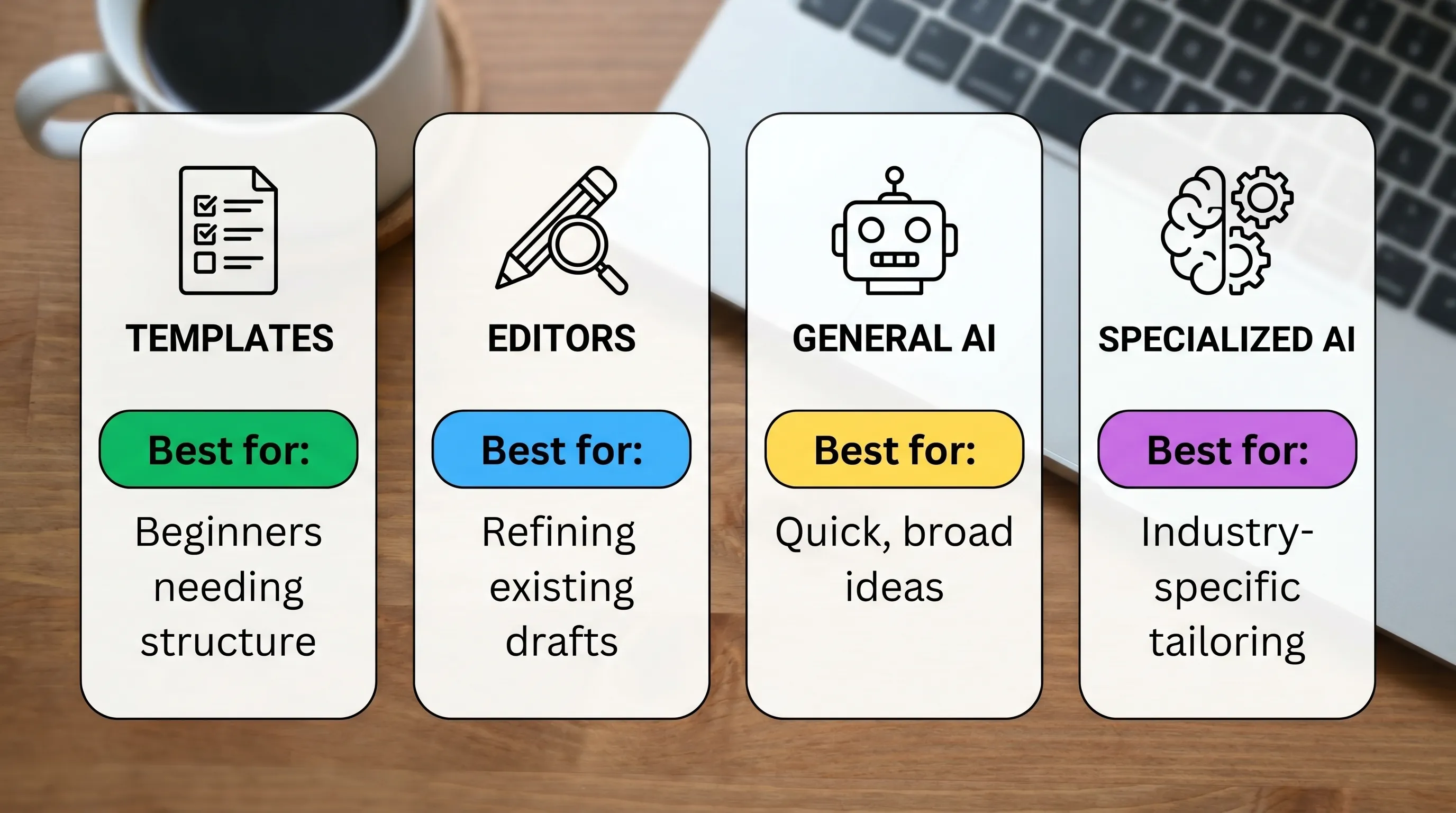
| Type of cover letter writer | Best for | Main downside | What to check first |
|---|---|---|---|
| Template libraries (copy/paste) | Confident writers who just need structure | Can sound generic fast | Does it include role-specific guidance or just blanks? |
| Writing assistants (editing tools) | Polishing a draft you already wrote | Doesn’t solve the blank-page problem | Can it rewrite for tone and concision, not just grammar? |
| General AI chat tools | Flexible drafting across many tasks | Easy to produce vague, samey letters | Does it ask for job details and achievements, or guess? |
| Specialized AI letter generators | Fast, structured first drafts tailored to a scenario | Still needs your facts and final edit | Does it force specificity (role, company, proof points)? |
Your goal is to pick the type that matches where you are in the process:
- Starting from a blank page, choose a generator.
- Already have a draft, choose an editor.
- Need consistent structure across many applications, choose a specialized workflow (generator + quick revision).
The 2026 buying checklist: what actually matters (and what’s just marketing)
A cover letter writer is only useful if it reliably produces a letter that is:
- Specific to the role
- Specific to the company
- Backed by proof (metrics, outcomes, scope)
- Written in a natural voice
Here’s what to evaluate before you commit.
1) Personalization depth (not “personalization” as a buzzword)
In 2026, “personalized” can mean anything from inserting your name to generating a genuinely role-specific narrative.
A tool is usually worth using if it asks for, or clearly incorporates:
- Job title and level (intern, senior, lead)
- Company name and “why this company” detail
- 1–3 measurable achievements (numbers, outcomes, scope)
- Your most relevant skills for this job posting
How to test it: paste a real job description and include one achievement with numbers. Then check whether the letter repeats the job post or actually connects your evidence to the role.
2) Tone control that changes more than a few adjectives
Tone is not just “formal vs friendly.” For job applications, tone should influence:
- Sentence length and directness
- Confidence level (assertive without arrogance)
- Warmth and personality (without being casual)
How to test it: generate the same letter in two different tones. If both versions feel identical except for a few word swaps, tone options are mostly cosmetic.
3) Structure that hiring managers can scan in 15 seconds
Hiring teams still skim. A strong cover letter writer should output a layout that is easy to scan:
- A direct opening that signals fit
- A middle section with proof (not responsibilities)
- A close with a clear next step
You do not need a “creative” structure. You need a readable one.
4) Editing experience (because you will edit)
Even the best AI draft should be treated as a first draft. Look for:
- Clean formatting
- Easy copy to clipboard
- Export options if you submit PDFs
- A workflow that encourages quick revision
If editing the output feels harder than writing from scratch, the tool isn’t saving time.
5) Versioning and letter history
In 2026, many applicants apply to multiple roles quickly. A tool with letter history tracking helps you:
- Reuse strong proof points
- Avoid “version chaos” across applications
- Keep a record of what you sent
This is especially helpful if you are applying in bursts or juggling multiple interviews.
6) Language support (if you apply across regions)
If you apply internationally, multilingual support can be a practical advantage. Just make sure the tool can keep the letter:
- Idiomatic (not translated literally)
- Professional for the region
- Consistent with your resume language
7) Pricing model that matches your job search
A pricing model is not just a cost issue, it shapes behavior.
- Subscription tools can make sense for long searches and frequent editing.
- One-time pricing can be ideal if you want to generate several letters quickly without ongoing costs.
- Free trials help you evaluate quality, but only if they let you test real use cases.
Be careful with tools that are cheap upfront but require upgrades for basics (like export formats or multiple versions).
A simple scorecard to compare tools in under 10 minutes
If you want a quick, repeatable way to evaluate any cover letter writer, use this scorecard. Give each item a 0–2 score.
| Category | 0 points | 1 point | 2 points |
|---|---|---|---|
| Role fit | Generic claims | Mentions role keywords | Connects your proof to the role clearly |
| Company specificity | No company detail | Name drop only | Real “why this company” reference |
| Proof | Only soft skills | Vague accomplishments | Metrics, scope, outcomes |
| Voice | Robotic or overly formal | Acceptable | Sounds like a real person |
| Clarity | Hard to scan | Somewhat readable | Skimmable, tight, structured |
A tool that consistently hits 8–10 is usually good enough to build on. If it lands at 5–7, it may still help with structure, but you’ll spend more time rewriting.
Privacy and data: the questions you should ask (especially with AI)
Cover letters include sensitive info: company names, recruiter names, salary expectations, sometimes even workplace context.
Before using any AI cover letter writer for real applications, check whether you can understand:
- What the tool stores (if anything)
- Whether you can delete history
- Whether your content might be used to improve models
If the privacy policy is hard to find or unclear, treat that as a risk signal.
A practical workflow: how to use a cover letter writer without sounding “AI-written”
Most “AI-sounding” cover letters fail because they are missing concrete truth. The fix is simple: give better inputs and do one focused edit pass.
Step 1: Gather inputs (2 minutes)
Have these ready:
- The job posting link or text
- A 1-sentence summary of your fit
- 2 achievements with numbers
- 1 company-specific detail (product, mission, recent news)
Step 2: Generate the draft (under 1 minute)
Choose a tone that matches the company:
- Startups often reward directness and clarity.
- Regulated industries often prefer a more formal tone.
Step 3: Do the “human edit” (5 minutes)
Edit for three things:
- Replace generic phrases with your exact tools, outcomes, and context
- Cut filler sentences (especially in the opening)
- Add one natural line that sounds like you, not a template
Step 4: Save and reuse what works
Keep a small library of:
- Your best opening lines
- Your strongest proof bullets (even if you don’t submit them as bullets)
- 2–3 closings that match different tones
If you are traveling for interviews, it also helps to reduce logistics friction so you can focus on prep. For example, you can look for hotel booking deals when you need a quick stay near an onsite interview.
When a specialized tool like LetterCraft AI makes sense
A specialized cover letter writer is most useful when you:
- Need a solid first draft fast (especially under deadlines)
- Want multiple tones without rewriting from scratch
- Are applying to multiple roles and want consistent structure
- Also need other professional letters beyond cover letters
LetterCraft AI is designed specifically for letters, not just general writing. Based on the product details provided, it offers:
- 65+ letter types (useful if you also need resignation, complaint, negotiation, or formal requests)
- AI-powered letter generation with personalized templates
- Multiple tone options
- PDF export and copy to clipboard
- Letter history tracking
- Support for 5 languages
- Free to try with no credit card required
- Simple pricing tiers and no subscriptions (one-time pricing)
If your biggest pain point is speed plus structure, a tool like this can be a strong fit, as long as you still add your specific achievements and do the final edit.
Frequently Asked Questions
What is the best cover letter writer in 2026? The best cover letter writer is the one that produces a specific, skimmable letter that uses your real proof (metrics and outcomes) and matches the job and company. Test tools with the same job posting and compare outputs.
Are AI cover letters acceptable in 2026? In most cases, yes, as long as the letter is accurate, personalized, and clearly written in a human voice. Treat AI as a drafting assistant, not the final author.
How do I know if my cover letter sounds too generic? If you could swap the company name and job title and nothing else would need changing, it’s too generic. Add one company-specific detail and at least two measurable achievements.
Should I use a template or an AI generator? Use a template if you already write well and just need structure. Use an AI generator if you struggle with the blank page or need speed, then edit for specificity.
What should I look for in a cover letter writer tool? Look for deep personalization inputs, meaningful tone control, a skimmable structure, easy editing and export, version history, and a pricing model that fits your job search timeline.
Try a faster way to write better cover letters
If you want a cover letter draft you can customize in minutes (without starting from a blank page), try LetterCraft AI at craftmyletter.com. You can generate a professional letter in about 30 seconds, test different tones, export to PDF, and keep your letter history organized, with no credit card required to start.