
AI Letter Writer Free: The Limits of Free Tools (and Fixes)
AI letter writer free tools look tempting, but have real limits. Learn tradeoffs, privacy risks, and fixes, plus better free-to-try options.
If you’ve searched for an ai letter writer free, you’re not alone. In 2026, people use AI to write everything from cover letters to billing disputes because the stakes are high and time is tight. Free tools can absolutely help you get unstuck, but “free” often comes with tradeoffs that matter a lot when you’re sending something to a recruiter, landlord, HR, a school, or an insurer.
This guide breaks down the most common limitations of free AI letter writers, why those limitations show up, and the practical fixes you can use to still get a professional, send-ready letter.
What “AI letter writer free” usually means (and why it matters)
Most free AI letter tools fall into one of these buckets:
- Free forever, but heavily limited (few generations per day, basic outputs, minimal formatting)
- Free trial (you can generate a letter or two, then pay)
- Freemium (free core features, pay for export, tone options, longer letters, or history)
- Free, but monetized through your data or ads (less transparent, higher privacy risk)
None of these are automatically “bad.” The issue is that the constraints often show up exactly where letters need to be strongest: specificity, credibility, and formatting.
The limits of free AI letter writers (and the real-world impact)
1) Generic outputs that sound plausible, but not personal
Free tools often don’t collect enough context (or don’t process much of it) to write a letter that feels like it came from you. That’s how you get:
- Vague openings (“I’m excited to apply…”) that read like templates
- Overly polished language that doesn’t match your voice
- Achievements stated without proof (no numbers, no outcomes)
Why it matters: Generic letters are easy to ignore, especially in hiring and formal disputes where decision-makers scan fast.
Fix: Provide fewer facts, but make them sharper (one role goal, two proof points, one constraint, one ask). Then force the tool to include those details.
2) Missing the “rules” of the specific letter type
A resignation letter, a complaint letter, a demand letter, and an academic appeal letter are not interchangeable formats. Many free tools are general-purpose chat boxes, not scenario-based writers.
Why it matters: The wrong structure can weaken your position. For example, disputes often need clear dates, account numbers, requested remedy, and deadlines, while job letters need relevance and measurable impact.
Fix: Use a tool that starts with the letter type (or add structure in your prompt, like “include a subject line, reference numbers, timeline, and a clear request”).
3) Formatting and export limitations
A lot of free tools output a block of text with no reliable formatting, and some paywall basics like:
- PDF export
- Clean copy/paste formatting
- Proper business letter spacing and headings
Why it matters: Presentation affects credibility. A messy letter can look rushed or unprofessional, even if the content is decent.
Fix: Draft with AI, then do a “format pass” (header, date, recipient, subject line, spacing). Or use a letter-specific generator that exports to PDF.
4) Tone control is limited or nonexistent
Many free tools can’t reliably switch tone (firm but polite, empathetic, concise, assertive). They tend to default to one voice.
Why it matters: Tone is strategy. In negotiation or disputes, the wrong tone can escalate or reduce compliance.
Fix: Specify tone as a constraint and provide a “do-not-use” list (no threats, no sarcasm, no legal bluffing, no emotional language).
5) Data privacy and confidentiality risks
Letters often include personal and sensitive information: addresses, account numbers, medical context, workplace issues, immigration details, or school records.
Some free tools do not make it clear:
- Whether prompts are stored
- Whether content is used to improve models
- How long data is retained
Why it matters: If you are writing about disputes, health, finances, or legal matters, privacy is not a “nice-to-have.”
Fix: Minimize identifiers in prompts. Use placeholders (ACCOUNT_NUMBER, POLICY_ID) until the final draft, then insert them locally.
6) Usage caps that hit at the worst moment
Free tools commonly throttle usage (daily message caps, slow queues, limited revisions). But letters usually require iteration.
Why it matters: The first draft is rarely the send draft.
Fix: Batch your work. Prepare your facts first, then do 2 to 3 high-quality generations, instead of 10 small tweaks.
7) No history, no versioning, no audit trail
If a free tool doesn’t keep letter history, you can lose:
- The best draft version
- What you sent (important for disputes)
- Proof of what was communicated and when
Why it matters: For tenant issues, billing disputes, and appeals, documentation is leverage.
Fix: Save versions with filenames like 2026-04-16_Dispute_Letter_v3.docx and keep a simple “sent log” (date, channel, recipient).
Quick reference: limits vs fixes
| Common limitation in free tools | What can go wrong | Practical fix that works fast |
|---|---|---|
| Generic language | Sounds templated, gets ignored | Provide 2 measurable proof points and require them to be included |
| Weak structure | Missing key elements for that scenario | Prompt for required sections (timeline, request, deadline, closing) |
| Poor formatting | Looks unprofessional | Do a format pass, or use a tool with PDF export |
| Limited tone control | Too harsh, too soft, or unnatural | Specify tone plus “avoid” phrases |
| Privacy unclear | Sensitive info exposure | Use placeholders, insert identifiers at the end |
| Low usage limits | Can’t iterate | Batch inputs, generate 2 to 3 drafts, then edit |
| No history | Lose what you sent | Save versions locally, keep a sent log |
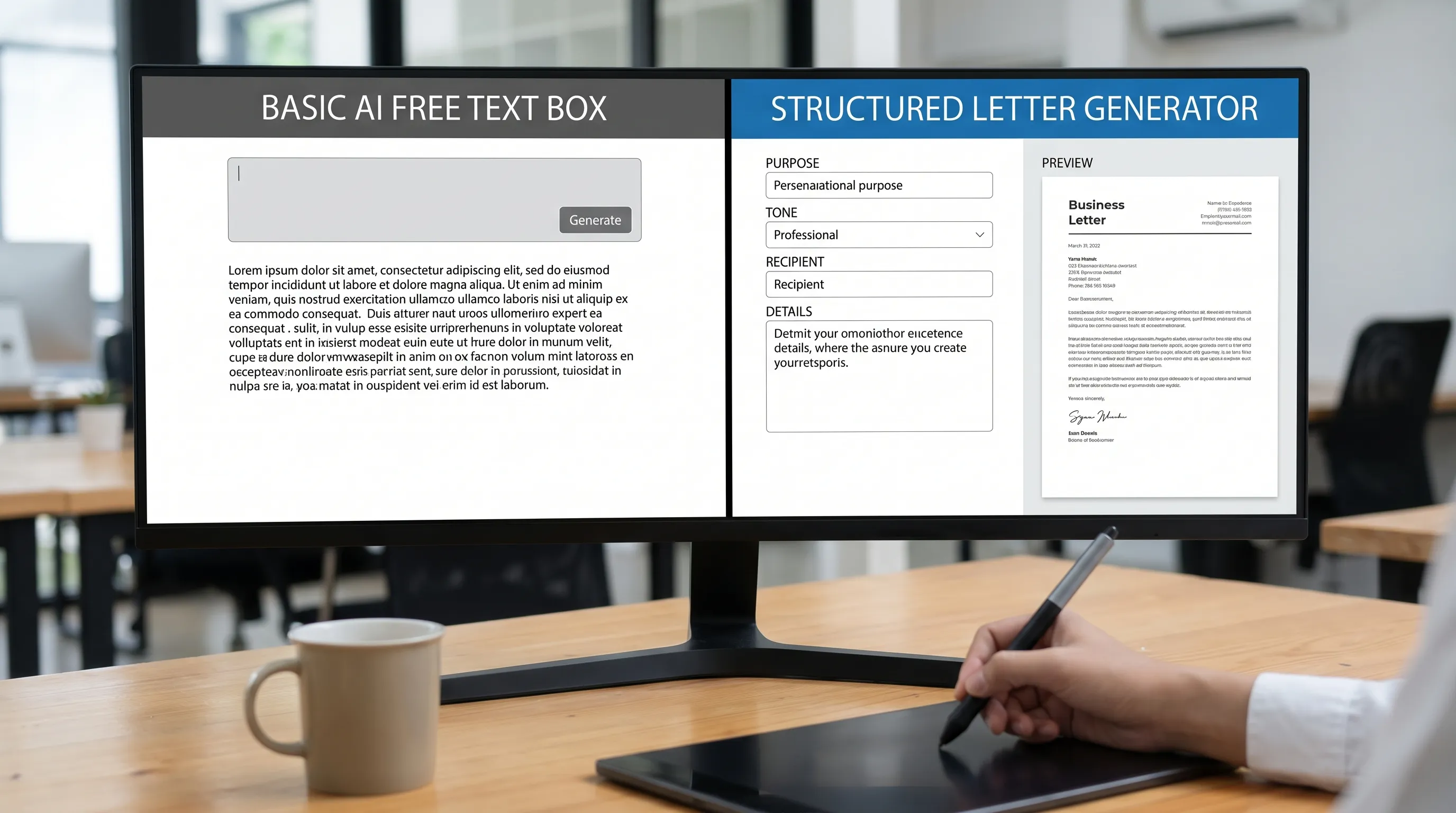
The best “free tool” upgrade is better inputs (use this checklist)
Most people blame the AI when the real issue is missing inputs. Before you generate anything, collect these items:
- Audience: Who will read it (recruiter, HR, landlord, insurer, dean, customer support)
- Goal: What you want them to do (approve, refund, schedule, waive, reconsider, confirm)
- Constraints: Deadlines, policies, notice periods, word count
- Proof: 2 facts that can be verified (metrics, dates, reference numbers, outcomes)
- Tone: Firm, polite, appreciative, neutral, empathetic, concise
- Call to action: The next step and a reasonable timeframe
Even for a simple letter, having these written down turns the AI from “guessing” into “drafting.”
Copy/paste prompt: make a free AI letter writer behave like a specialist
Use this prompt with most free tools, and fill in the brackets:
Prompt:
Write a professional [LETTER TYPE] addressed to [RECIPIENT/DEPARTMENT].
Context: [2 to 4 sentences with the situation, including dates and key facts].
My goal: [what I want them to do].
Include these details exactly: [reference number, policy name, role title, last working day, etc.].
Tone: [firm but polite / warm and appreciative / neutral and factual].
Constraints:
- Length: [150 to 250 words OR 300 to 450 words]
- No legal threats, no exaggeration, no generic filler like “I hope this message finds you well.”
- Use clear sections: opening, key facts, request, closing.
Output format: Proper business letter formatting with a subject line.
This won’t fix every limitation, but it dramatically improves clarity and usability.
The “second draft” method: how to edit AI letters in 6 minutes
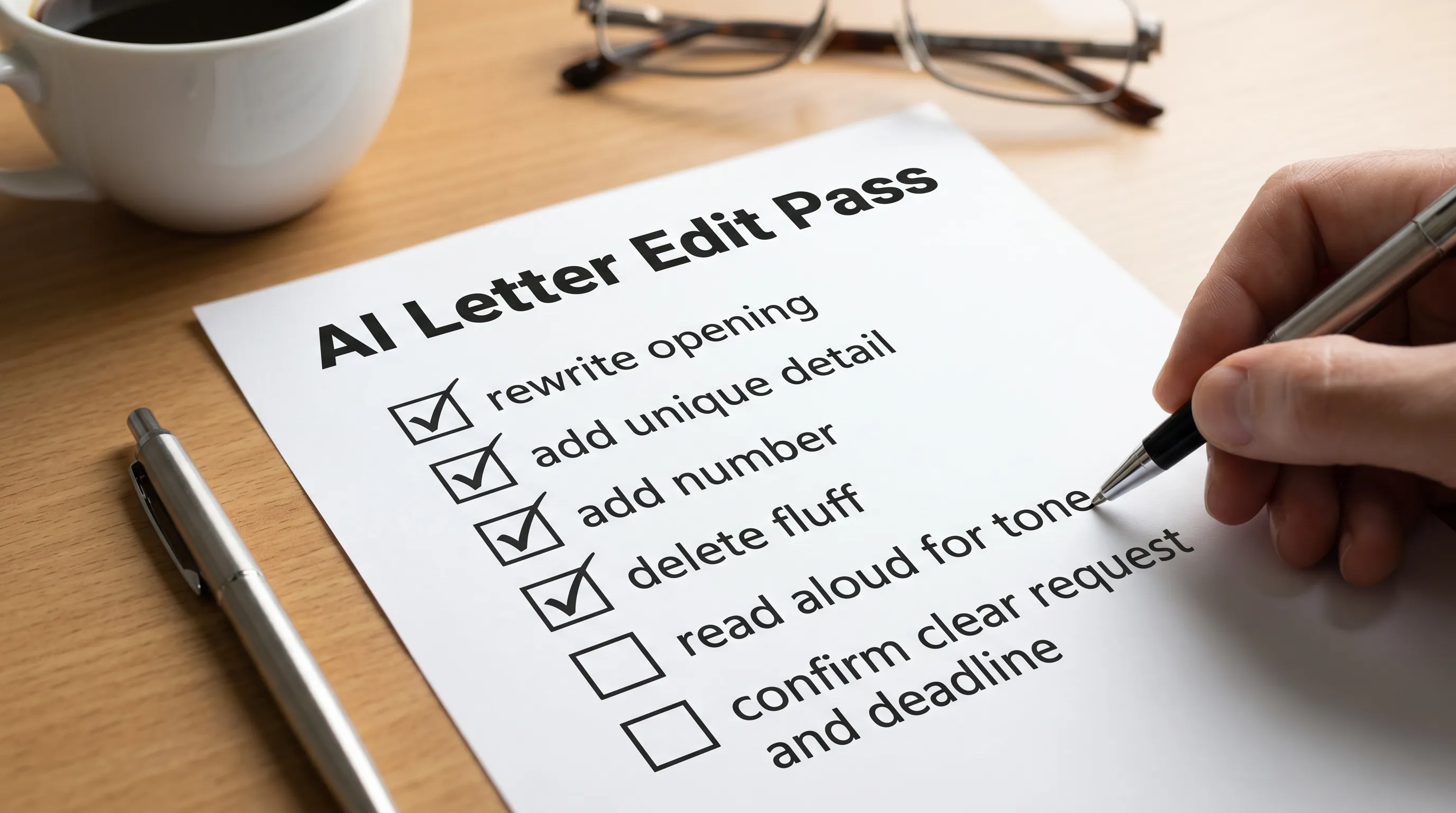
AI drafts are fastest when you treat them like assistants, not authors. Do this quick edit pass:
- Replace the first 2 sentences with your real reason for writing.
- Add one specific detail that only you would know (a project name, a date, a policy reference).
- Quantify one claim (time saved, dollars disputed, performance outcome, response deadline).
- Remove fluff (any sentence that could fit 1,000 other people).
- Check tone (read it aloud once, if it feels fake, rewrite 2 lines in your own voice).
- Confirm the ask (make the request and timeline unmissable).
When free is enough vs when you should switch tools
Free AI tools are often “good enough” if:
- The letter is low-stakes (simple thank you note, informal request)
- You already know the structure and just need wording help
- You’re not including sensitive personal data
But you usually want a purpose-built tool if:
- The letter type has rules (appeals, disputes, demands, resignations)
- You need consistent formatting and PDF export
- You want reliable tone options
- You expect to iterate and reuse past letters
Here’s a decision table you can use:
| Your situation | Free AI tool is fine | Use a purpose-built letter generator |
|---|---|---|
| Simple, low-risk message | Yes | Optional |
| Formal letter with a deadline | Maybe | Yes |
| Dispute, appeal, or negotiation | Risky | Yes |
| You need PDF output | Usually no | Yes |
| You want multiple tones | Inconsistent | Yes |
| You need history tracking | Usually no | Yes |
A better alternative to “free forever”: free to try, then pay once
Many people search ai letter writer free because they’re trying to avoid subscriptions, not avoid paying at all.
A practical middle ground is a tool that is:
- Free to try (no credit card required)
- Transparent about pricing
- Built specifically for letters (not just general writing)
That is also where building your writing skills can compound your results. If you want structured practice in professional communication (beyond any single letter), a guided program can help, for example UpSkilling professional courses that combine expert-led learning and microlearning paths.
What to look for in a safer “free AI letter writer” experience
Before you invest time in any tool, check for these basics:
- Letter types supported: The tool should match your scenario, not force you to “prompt engineer” everything
- Personalization inputs: Role, recipient, context, proof points
- Tone options: At least a few meaningful tone modes
- Export options: Copy to clipboard at minimum, PDF export is ideal for formal letters
- History tracking: Helps with iteration and documentation
- Language support: Especially if you work across regions or need bilingual letters
- Pricing model: Clear, predictable, ideally no subscription if you only need letters occasionally
CraftMyLetter (CraftMyLetter) is designed around those needs: it supports 65+ letter types, offers multiple tone options, provides PDF export, keeps letter history tracking, supports 5 languages, and is free to try with no credit card required. If you do upgrade, it uses simple pricing tiers with one-time pricing (no subscriptions).
Frequently Asked Questions
Are free AI letter writers actually safe to use? It depends. If the tool is unclear about data retention or model training, avoid pasting sensitive identifiers. Use placeholders and add private details at the end.
Why do free AI letters sound generic? Free tools often have limited context windows, fewer customization controls, and general templates. Without proof points and constraints, the model defaults to broad language.
Can I use a free AI tool for legal or dispute letters? You can draft, but be careful. Dispute letters often require specific facts, dates, reference numbers, and clear remedies. Consider professional review when stakes are high.
What’s the fastest way to improve an AI-generated letter? Rewrite the opening in your own words and add one measurable proof point (a number, date, or outcome). Those two changes alone usually remove the “AI vibe.”
Do I need a different tool for each letter type? Not necessarily, but you do want a tool that supports the letter type and structure you need. A general chatbot can work, but it requires more prompting and editing.
Is “free to try” better than “free forever”? Often yes, because the tool can offer exports, tone options, and letter-type structure without relying on ads or unclear monetization.
Generate a professional letter in under 30 seconds (without guessing)
If you’re hitting the limits of free tools (generic wording, weak structure, formatting headaches), try CraftMyLetter at CraftMyLetter.com. Pick your letter type, add a few details, choose a tone, and generate a polished draft fast, with no credit card required to try. When you need more, you can upgrade with one-time pricing (no subscriptions).